About this app
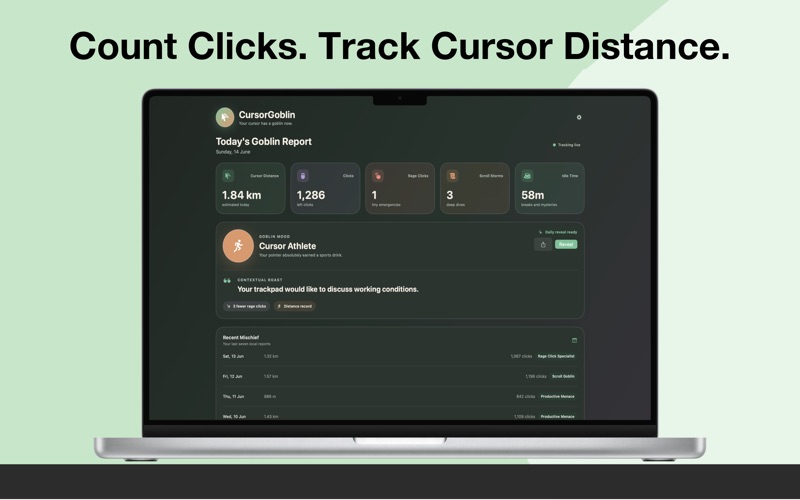
Your cursor has a goblin. Cursor Goblin counts clicks, estimates cursor distance, spots rage clicks and scroll storms, and turns each day on your Mac into a private, shareable Goblin Report. NO SCREENSHOTS. NO KEYSTROKES. NO CLOUD TRACKING. Activity is processed and stored locally on your Mac. Input Monitoring is used only for pointer movement, mouse clicks, scrolling, and idle activity. SEE YOUR WORKDAY DIFFERENTLY • Estimated cursor distance • Click count • Rage-click detection • Scroll-storm detection • Active and idle time • Daily comparisons and personal records • Seven-day history REVEAL YOUR DAILY GOBLIN Discover a mood based on your activity, get a contextual roast, and see how today compares with yesterday. LIVE IN THE MENU BAR Check current stats and pause or resume tracking without breaking focus. SHARE THE CHAOS Copy, save, or share a polished Goblin Report card with the native macOS sharing menu. TRY IT FREE A five-day trial includes tracking, reports, history, and sharing. Continue with a one-time lifetime unlock—no subscription. Works with a mouse or trackpad. Cursor distance is an estimate based on pointer movement.
Latest release
What’s New
Metadata Updates
Audience growth
Ratings growth
Baseline captured. Growth appears after the crawler observes a changed rating count.
Momentum comes from crawler snapshots for the tracked storefront. “Viral growth signal” means unusually fast recent rating gains; it is an indicator, not download data.
Price tracking
Price intelligence
First snapshot captured. The trend line starts after the next crawler price observation.
- First observed Aug 18, 2026 · 11:24 AM Free
Screenshots