About this app
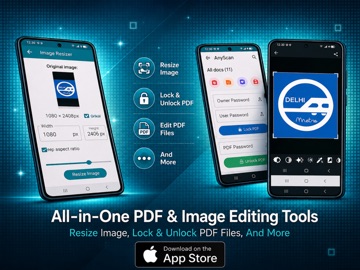
# AnyScan – Document Scanner & PDF Tools AnyScan is a powerful all-in-one document scanner and PDF management app that helps you scan, edit, convert, and organize documents directly from your iPhone or iPad. Whether you're a student, professional, or business owner, AnyScan provides essential productivity tools in a simple and intuitive interface. ## Features ### Document Scanner • Scan documents, receipts, invoices, notes, books, ID cards, and business cards. • Automatic edge detection and image enhancement for clear, high-quality scans. • Save scans as PDF, JPEG, or PNG files. ### PDF Tools • Merge multiple PDF files into a single document. • Split large PDFs into smaller files. • Compress PDFs to reduce file size while maintaining quality. • Protect PDF files with passwords or remove password protection. ### Image & File Conversion • Convert images to PDF. • Export documents in multiple formats. • Resize images for printing, sharing, or online uploads. ### QR Code Generator • Create QR codes for text, URLs, contacts, and more. • Save and share QR codes instantly. ### Editing Tools • Crop, rotate, and enhance scanned documents. • Adjust brightness and contrast. • Add custom watermarks for branding and security. ### Smart File Management • Organize documents into folders. • Rename and manage files easily. • Quickly find and access important documents. ### Privacy & Security • Your documents remain on your device. • Designed with privacy in mind. ### Easy Sharing • Share documents, PDFs, and images through email, messaging apps, cloud storage, and other supported services. ## Why Choose AnyScan? • Fast and easy document scanning. • Comprehensive PDF editing and management tools. • Clean, user-friendly interface. • Suitable for personal, educational, and business use. • Helps you stay organized and productive wherever you are. Download AnyScan today and simplify the way you scan, manage, and share documents.
Latest release
What’s New
Improve image resize and remove background
Audience growth
Ratings growth
Baseline captured. Growth appears after the crawler observes a changed rating count.
Momentum comes from crawler snapshots for the tracked storefront. “Viral growth signal” means unusually fast recent rating gains; it is an indicator, not download data.
Price tracking
Price intelligence
First snapshot captured. The trend line starts after the next crawler price observation.
- First observed Aug 21, 2026 · 7:27 PM Free
Screenshots