About this app
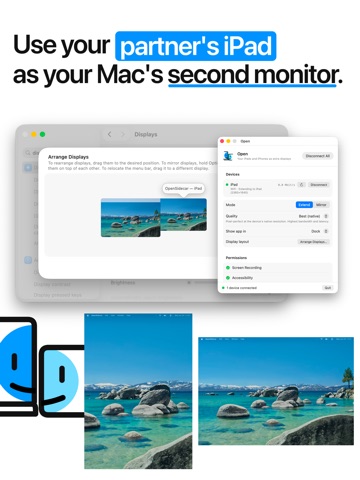
OpenDisplay turns your iPhone or iPad into a second display for your Mac. It's the open-source way to put your spare Apple device to work as a real extended monitor — drag windows onto it, keep chat, notes, or logs in view, and gain screen space anywhere you go. It's not a mirror: it's a genuine additional display your Mac treats like any other monitor. • Real extended display — arrange it in your Mac's Display settings and drag windows across • Connect over USB for the lowest latency, or over Wi-Fi with zero setup • Retina-sharp, pixel-for-pixel rendering • Touch and scroll — tap, drag, and two-finger scroll to control your Mac • Works in portrait or landscape • Private by design — a direct connection between your own devices, with no accounts, no servers, and no tracking IMPORTANT: OpenDisplay requires the companion OpenDisplay app for Mac, running on your computer on the same cable or Wi-Fi network. Get it at https://peetzweg.github.io/opendisplay — without it, this app has nothing to connect to. OpenDisplay is open source under the GPL-3.0 license. Read the code, report issues, or contribute at https://github.com/peetzweg/opendisplay
Latest release
What’s New
+ Apple Pencil input with pressure, tilt and proximity + stop two-finger scroll from firing a click
Audience growth
Ratings growth
Baseline captured. Growth appears after the crawler observes a changed rating count.
Momentum comes from crawler snapshots for the tracked storefront. “Viral growth signal” means unusually fast recent rating gains; it is an indicator, not download data.
Price tracking
Price intelligence
First snapshot captured. The trend line starts after the next crawler price observation.
- First observed Aug 18, 2026 · 3:49 PM Free
Screenshots