About this app
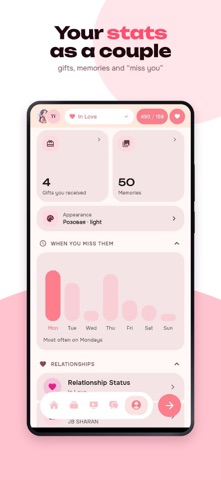
Togetherly keeps two people close on the days you can't be in the same room. Count the days you have been together, share how you are feeling, send "I miss you" in one tap, and collect your photos, songs and places in one shared feed. What matters most sits right on the home screen. Days together A counter for your relationship, on a widget and in a notification. Countdowns mark anniversaries and the dates you would rather not miss. Each other's mood Log how your day is going and see your partner's day at a glance. A mood calendar, streaks and stats make the patterns easy to notice. "I miss you" One tap sends a notification: miss you, thinking of you, want a hug — or your own words. Widgets for two Your partner's photo, status, mood and messages, on your screen without opening the app. Watch together Play a video in sync: pause and rewind happen for both of you, with a chat beside it. Draw together A shared canvas in real time — sketches, notes and small silly things. Memories Photos, videos, music, books, films and favourite places on a shared map: your own feed of moments. A mascot to look after It grows while you both keep logging your moods. Chat A private conversation for two, with reactions and notifications. Shop Themes, icons and small extras for coins you earn together. Togetherly is a space that belongs to the two of you. Create a pair, invite your partner by link, code or QR, and stay close every day.
Latest release
What’s New
Widgets update on their own. The pair widget used to change only text on the home screen: status, mood, music. Your partner's photo and avatar arrived only when you opened the app, which is why so many of you were stuck with the very first picture. Now the widget collects photos, avatars and names in the background. Each couple has its own data. Widgets of different couples used to share one set of keys, so the wrong pair could show up on your home screen. Adding a photo to a widget no longer hangs. Image compression now has a time limit, and if saving fails the app says so instead of spinning forever.
Audience growth
Ratings growth
Momentum comes from crawler snapshots for the tracked storefront. “Viral growth signal” means unusually fast recent rating gains; it is an indicator, not download data.
Price tracking
Price intelligence
First snapshot captured. The trend line starts after the next crawler price observation.
- First observed Aug 21, 2026 · 1:53 AM Free
Screenshots