About this app
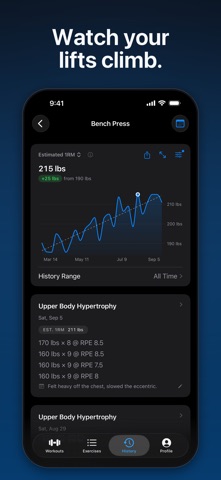
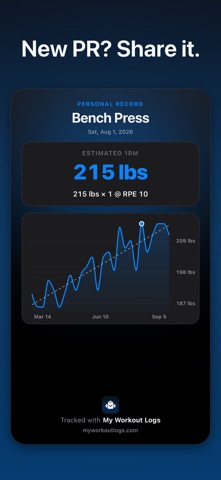
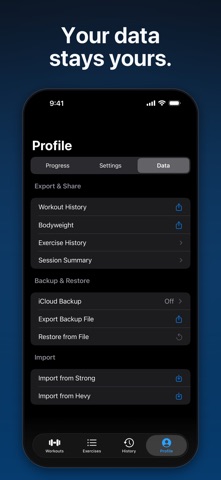
Log strength training, calisthenics, Olympic lifting, cardio, and more without slowing down your workout. Build reusable routines, check off sets as you train, and turn your history into clear charts and personal records. LOG SETS IN SECONDS • Start a saved workout in one tap and check sets off as you lift • Record weight, reps, and optional RPE or RIR on every set • Use rest timers with Live Activities on your Lock Screen and in the Dynamic Island • Organize exercises into supersets and add notes to any session • Log static holds, barbell complexes, and past workouts with their real date and time CARDIO THAT FITS YOUR TRAINING • Track time, distance, pace, speed, power, cadence, and counts • Configure the measurements and units used by each exercise • Switch between alternative units directly in the logger • Follow cardio performance and trends with exercise-specific charts BUILT FOR STRENGTH SPORTS • Log added weight for weighted calisthenics and see your true system load • Record assistance for assisted calisthenics • Combine movements into barbell complexes with shared load and rounds • Create custom exercises or start with packs for barbell training, calisthenics, and Olympic weightlifting • Choose kg or lb separately for each exercise WATCH YOUR PROGRESS • Estimated 1RM charts with Epley, Brzycki, Lander, and O’Conner formulas • Projected 1RM from RIR and PR tags on record sets • Tap a chart point to see the logged sets behind it • Pin key lifts for an at-a-glance progress board • Browse your training calendar and complete session history • Track bodyweight with a trend line and weekly rate SHARE AND EXPORT • Share polished Full Session images, with automatic pagination for longer workouts • Create condensed Summary and PR images when available • Share any completed session as a plain-text recap • Export workout history, bodyweight, or individual exercise history as CSV • Session images omit bodyweight for consistent privacy YOUR DATA STAYS YOURS • Your workout database is stored on your iPhone • Enable optional iCloud backups to your personal iCloud account • Exports and shares are created locally and sent to the iOS share sheet only when you ask • Your log is included in your normal iPhone backup MAKE IT YOURS • Ten theme presets, six card styles, and 14 accent colors • Light and dark appearances with detailed visual customization For iPhone running iOS 18 or later.
Latest release
What’s New
Fixed an issue that could show a dark rectangular background around the tab bar on iOS 27.
Audience growth
Ratings growth
Momentum comes from crawler snapshots for the tracked storefront. “Viral growth signal” means unusually fast recent rating gains; it is an indicator, not download data.
Price tracking
Price intelligence
- First observed Aug 28, 2026 · 9:00 AM Free
Screenshots