About this app
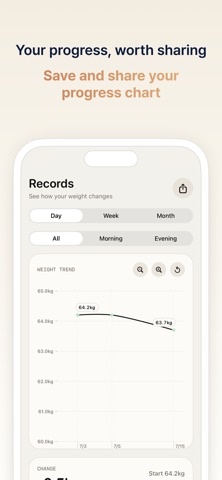
“Weight management doesn’t start with a grand resolution. It starts with one simple record each day.” Hello, this is Daily Weight. :) I believe that recording your weight doesn’t have to be complicated or stressful. Every morning, or at any time you choose, all you need to do is quickly record your weight once a day. What matters is not following a perfect diet, but consistently noticing how your body is changing. Some days, your weight may go down a little. Some days, it may stay the same. And on other days, it may even go up. But! When you only look at each day’s number, it can be hard to tell whether you are actually getting closer to your goal. Daily Weight was created for exactly those moments. With the fastest UI, you can record today’s weight right away and easily check how close you are to your target weight through a simple chart. So, go ahead and start recording! - Key Features of Daily Weight 1. Fast Weight Recording Open the app and enter today’s weight right away. Without unnecessary steps, you can focus on building a daily recording habit. 2. Target Weight Setting Set the target weight you want to reach. Instead of vaguely thinking, “I should lose weight,” set a clear goal and track your progress. 3. View Changes with Charts Your daily records are displayed as a chart. Because what matters more than a single number today is the overall trend. 4. Track Your Progress Toward Your Goal Check how close you are to your target weight. Seeing yourself gradually move closer to your goal can help you stay consistent. 5. Understand Yourself Day by Day Your weight is not just a number. It can be a record of your lifestyle, meals, and condition. Daily Weight helps you calmly observe those changes over time. - Terms of Use (EULA): https://www.apple.com/legal/internet-services/itunes/dev/stdeula/ - Privacy Policy: https://pinto-ostrich-491.notion.site/Dailyweight-Privacy-Policy-eng-v1-0-0-385bb891ec33801c9386d0a83c08ece7?source=copy_link
Latest release
What’s New
v1.0.5 - A new effect has been added when you reach your goal. - Minor bugs have been fixed.
Audience growth
Ratings growth
Baseline captured. Growth appears after the crawler observes a changed rating count.
Momentum comes from crawler snapshots for the tracked storefront. “Viral growth signal” means unusually fast recent rating gains; it is an indicator, not download data.
Price tracking
Price intelligence
First snapshot captured. The trend line starts after the next crawler price observation.
- First observed Aug 19, 2026 · 4:52 PM Free
Screenshots