About this app
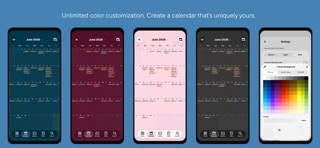
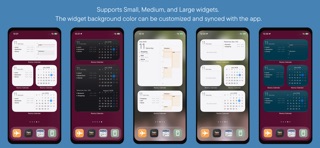
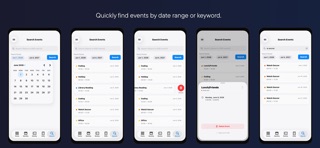
Easy to Read. Easy to Use. A Simple Calendar You'll Want to Open Every Day. Roomy Calendar is a simple, easy-to-read calendar app designed to make schedule management effortless. Enjoy a clean, ad-free experience with a minimalist design and spacious layout. Switch freely between 7 calendar views - Year, Month, 4 Weekly layouts, and Daily - to organize your schedule the way you like. Roomy Calendar supports Apple Calendar (iCloud), allowing you to manage work, personal, and family schedules in one place. Stay organized with Home Screen widgets, event search, event reuse, and flexible customization. Sync with iOS Reminders to manage tasks and reminders alongside your calendar in one unified view. Smart input features make creating events and tasks quick and intuitive, while the clean, easy-to-read interface ensures a comfortable experience. Personalize your calendar with custom calendar colors, calendar names, theme colors, background colors, event display options, and Light or Dark Mode. A playful cat paw animation adds a little fun to your daily planning. ## Perfect for • Anyone looking for a simple and easy-to-read calendar • Managing work, personal, and family schedules • Weekly schedule planning • Apple Calendar (iCloud) and Google Calendar users • Home Screen widget users • People who enjoy customizing their calendar • Anyone who prefers an ad-free calendar ## Features ■ 7 Calendar Views • Year • Month • Weekly (7 Days) • Weekly (Weekdays) • Weekly (Next 5 Days) • Weekly (Next 3 Days) • Daily ■ Customization • Create, delete, and rename calendars • Change calendar colors • Customize themes and backgrounds • Light & Dark Mode • Adjustable event ribbon opacity • Custom display for multi-day all-day events • Stamp animation for completed tasks ■ More Features • Multiple calendar management • Apple Calendar (iCloud) support • Task management features • Integration with iOS Reminders • Home Screen widgets • Event search (AND search supported) • Reuse existing events • Japanese holidays & Rokuyo • Notifications & app badge • Horizontal swipe navigation • Smart voice input and custom text templates are also available. • View detailed analysis reports • Japanese & English support ## Your Data Roomy Calendar does not collect personal information. Your events are stored in Apple Calendar and synchronized with iCloud when enabled. Deleting the app does not delete your calendar data. ## Permissions Calendar access is required to create, edit, and display events. Enable notifications if you would like to receive event reminders. Roomy Calendar is a simple, customizable calendar designed for clarity, flexibility, and ease of use. Stay organized, personalize your schedule, and enjoy a calendar you'll want to open every day.
Latest release
What’s New
Version 2.1.1 A new update makes your calendar and task management more seamlessly integrated and easier to use! We’ve also improved usability and made various other minor enhancements. Experience the next generation of calendar, scheduling, and task management!
Audience growth
Ratings growth
Baseline captured. Growth appears after the crawler observes a changed rating count.
Momentum comes from crawler snapshots for the tracked storefront. “Viral growth signal” means unusually fast recent rating gains; it is an indicator, not download data.
Price tracking
Price intelligence
First snapshot captured. The trend line starts after the next crawler price observation.
- First observed Sep 1, 2026 · 2:28 PM Free
Screenshots