About this app
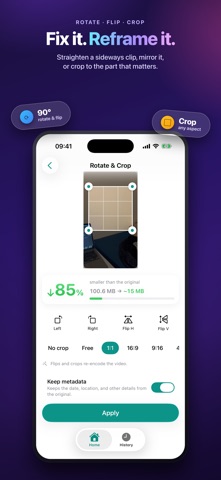
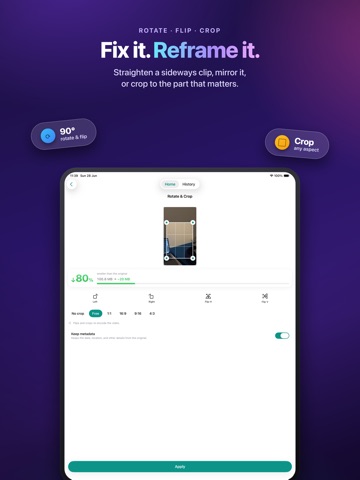
Compress, convert, resize, trim, and more — a clean, fast video toolkit that does it all right on your iPhone. No uploads. No accounts. No ads. Big videos are hard to share and they fill up your storage. Video Compressor Toolkit shrinks them down in seconds — without the clutter, pop-ups, and watermarks of other apps. Every job runs entirely on your device, so your videos never leave your phone. WHAT YOU CAN DO • Compress — make large videos dramatically smaller with no visible quality loss. Aim for a target size or a quality level. • Convert — MOV to MP4, HEVC or H.264, ready to share anywhere. • Resize — lower the resolution while keeping the aspect ratio. • Trim & Split — keep just the part you want, or cut one clip into two. • Audio — save a video's sound to a file, or mute it completely. • Rotate, flip & crop — straighten and reframe in a tap. • GIF — turn any clip into a looping GIF. • Speed & Reverse — slow it down, speed it up, or play it backwards. • Batch — process many videos at once. PRIVATE BY DESIGN • 100% on-device. Nothing is ever uploaded. • No ads, no accounts, no nag screens. • Your metadata stays yours — keep or remove the date, location, and camera details. Free to compress, convert, resize, trim, and extract audio. Video Toolkit Pro unlocks batch processing and advanced controls. Terms of use: https://farazk86.github.io/videotoolkit/terms.html
Audience growth
Ratings growth
Baseline captured. Growth appears after the crawler observes a changed rating count.
Momentum comes from crawler snapshots for the tracked storefront. “Viral growth signal” means unusually fast recent rating gains; it is an indicator, not download data.
Price tracking
Price intelligence
First snapshot captured. The trend line starts after the next crawler price observation.
- First observed Aug 20, 2026 · 2:02 AM Free
Screenshots