About this app
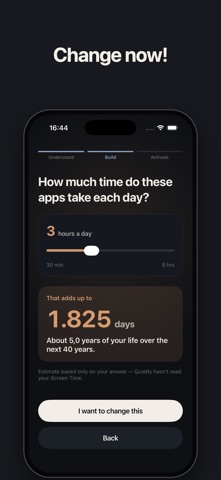
Stop Mindless Scrolling. Take Back Your Time. Quietly helps you stop automatically opening distracting apps and spend your time on what actually matters. BLOCK DISTRACTIONS Pause distracting apps during work, evenings, bedtime, or whenever you want to focus. BREAK THE AUTOPILOT Add a quick challenge before opening an app. That small pause gives you a chance to decide: do you actually want to keep scrolling? BUILD BETTER PHONE HABITS Create different routines for different parts of your day. Make distracting apps harder to reach when you know you are most likely to lose time. REDIRECT THE IMPULSE About to open an app out of habit? Quietly can point you toward something better instead. SEE YOUR PROGRESS See your routines, active protection, and daily progress from one simple home screen. Quietly can help you cut down on: • Mindless checking • Doomscrolling • Short-form video scrolling • Daytime distractions • Bedtime scrolling • Repeatedly reopening the same apps START FOR FREE Quietly is free to download, and every new account starts with a 7-day free trial of Quietly Premium. Quietly Premium includes unlimited routines, protection for as many apps as you want, advanced challenges, stricter blocking options, and more ways to stay in control. Less mindless scrolling. More time for everything else. Download Quietly for free and take back your time. Quietly Premium requires a separate auto-renewable subscription. Terms of Use: https://www.apple.com/legal/internet-services/itunes/dev/stdeula/ Privacy Policy: https://quietly.blackwallbe.eu/privacy
Latest release
What’s New
Fixed a bug that could block your apps during setup, before you had finished setting Quietly up. Nothing is blocked until you choose it. Medals for the days you protect, and a clearer goal on your Progress screen — the goal is now the next medal, so reaching it and earning it are the same moment. The Focus tab opens on your saved setups, so a session starts in one tap. The setup screen fits on screen again. The maths challenges now adapt to how you answer them.
Audience growth
Ratings growth
Baseline captured. Growth appears after the crawler observes a changed rating count.
Momentum comes from crawler snapshots for the tracked storefront. “Viral growth signal” means unusually fast recent rating gains; it is an indicator, not download data.
Price tracking
Price intelligence
First snapshot captured. The trend line starts after the next crawler price observation.
- First observed Aug 21, 2026 · 2:58 PM Free
Screenshots