About this app
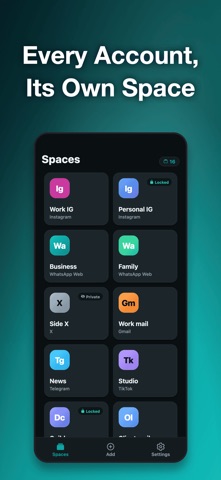
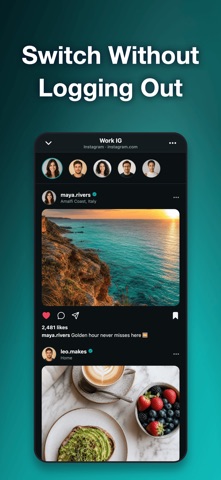
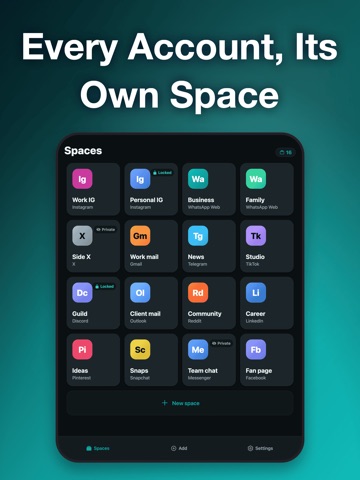
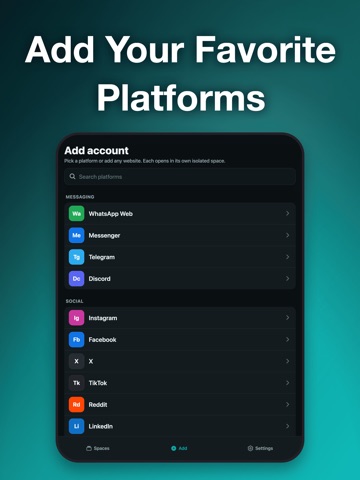
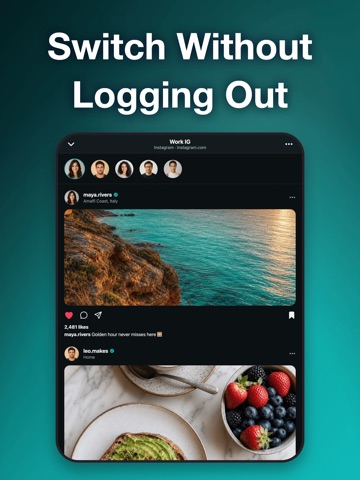
Clone App is a dual space for your accounts. Every account you use gets its own isolated space, with its own login and its own session — so several accounts of the same platform stay signed in at the same time and you switch between them in a tap. ONE SPACE PER ACCOUNT • Each space keeps its own login, cookies and session • Two spaces for the same platform never share a session — a work account and a second account are both live at once • Switch accounts without signing out; nothing is lost when you move between them • Spaces and their signed-in state survive quitting and restarting the app A PARALLEL SPACE FOR ANY PLATFORM • A searchable catalog of messaging, social, work and mail platforms • Every entry opens that platform's web version inside its own space • Type any web address and it becomes a space — you are not limited to a fixed list • Add as many spaces as you need, including several for the same platform ONE APP, TWO LOGINS • A dual app setup without a second phone and without a second device profile • Each dual account keeps its own history, its own uploads and its own notifications inside the space • A multi space grid holds work, shop, personal and gaming identities side by side • People call this a dual space, a parallel space, a multi space, an app clone or an app cloner — a dual cloner, a multi cloner, a mobile cloner, a dual app cloner. It is one job, and this is the app that does it: duplicate app access so multiple accounts can be open at once. TOLD APART AT A GLANCE • Give each space a name and a color — Work, Shop, Personal, Second account • The platform badge and your color make the grid readable in one look • The space you used last is marked and stays within reach PRIVATE BY DESIGN • Lock the whole app, or one individual space, with Face ID or Touch ID • A private space browses without saving its session and signs out when you close it • Deleting a space signs out of it and clears its data from this device • No sign-up, no account, no cloud — everything stays on your device BROWSING THAT ACTUALLY WORKS • Inline video, uploads from the camera or photo library, sharing and pull-to-refresh • Back, forward, reload and a loading indicator in every space • Switch a space to the desktop version of a site when you need the full layout • Clear error and offline states with one-tap retry HOW IT WORKS — HONESTLY • Spaces open the web version of each platform. This is not a native clone of an installed app: iOS does not let one app run a second copy of another developer's app. • There are no background push notifications for platforms opened inside a space. • Spaces live on this device only. Nothing is uploaded and there is no sync between devices. Two chat accounts, a work profile and a separate social identity — every login one tap away, each in its own space. Terms of Use: https://zeroplay.io/docs/legal/terms-of-service Privacy Policy: https://zeroplay.io/docs/legal/privacy-policy
Latest release
What’s New
Bug fixes and performance improvements for a smoother experience.
Audience growth
Ratings growth
Baseline captured. Growth appears after the crawler observes a changed rating count.
Momentum comes from crawler snapshots for the tracked storefront. “Viral growth signal” means unusually fast recent rating gains; it is an indicator, not download data.
Price tracking
Price intelligence
First snapshot captured. The trend line starts after the next crawler price observation.
- First observed Aug 31, 2026 · 11:48 AM Free
Screenshots