About this app
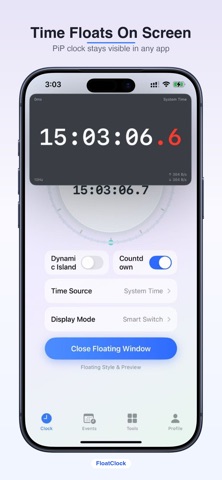
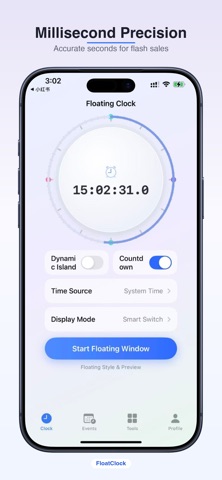
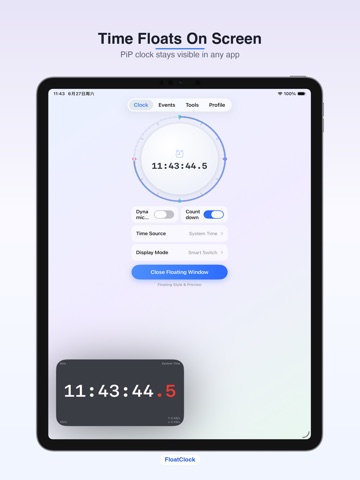
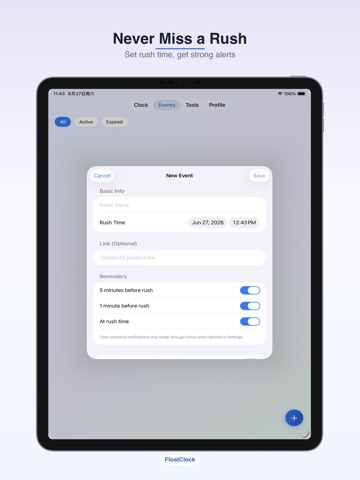
Time floats on your screen. Flash sales, handled. FloatClock is built for anyone who needs a clock always visible—especially flash sales on Taobao, JD, limited drops, and live stream giveaways. Powered by iOS Picture in Picture. You start PiP manually for a stable, App Store–compliant experience. 【PiP Floating Clock】 Start the floating window with one tap. Current time ticks every second while you shop, watch videos, or take classes—no need to switch back to the clock app. Millisecond display and multiple themes supported. 【Rush / Flash Sale Countdown】 Set an exact rush time and float the countdown in PiP. See how long until go-time at a glance. Pre-rush and at-time local notifications keep you on schedule. Dynamic Island Live Activity shows the countdown on your Lock Screen too. 【Everyday Timers】 Generic countdown, stopwatch, and Pomodoro for workouts, cooking, and focus sessions. Sync time from system or network sources for better accuracy when every second counts. 【Customization】 Preset PiP themes plus Pro palette: background, font, and millisecond accent colors. Dynamic Island colors can be customized separately. Features: • PiP floating clock (seconds / tenths) • Fixed-time rush countdown in PiP • Dynamic Island & Lock Screen Live Activity • Local rush reminders • Countdown, stopwatch, Pomodoro • 12 / 24-hour format • Themes & color palette Perfect for: • Flash sales on shopping apps • Sneaker & collectible drops • Live stream coupons & giveaways • Classes & meetings with a floating clock • Daily timing & focus Note: PiP must be started manually inside FloatClock using iOS Picture in Picture. Settings and events are stored on device. Download FloatClock and keep time on screen. Privacy Policy:https://mcnzv1vkrtox.feishu.cn/wiki/BsKvwGXHziiJbOk9imocU4YBn6b?from=from_copylink Terms of Use:https://mcnzv1vkrtox.feishu.cn/wiki/MwAQwvX0fis97PkyWoIcdyNLn5d?from=from_copylink
Latest release
What’s New
Optimized user experience.
Audience growth
Ratings growth
Baseline captured. Growth appears after the crawler observes a changed rating count.
Momentum comes from crawler snapshots for the tracked storefront. “Viral growth signal” means unusually fast recent rating gains; it is an indicator, not download data.
Price tracking
Price intelligence
First snapshot captured. The trend line starts after the next crawler price observation.
- First observed Sep 11, 2026 · 2:39 PM Free
Screenshots