About this app
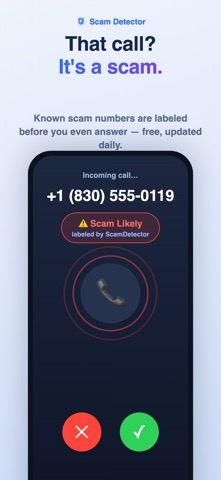
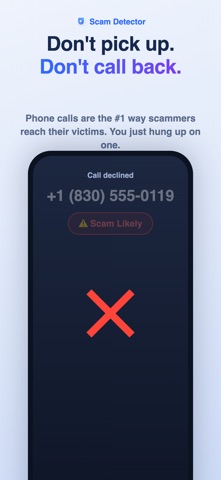
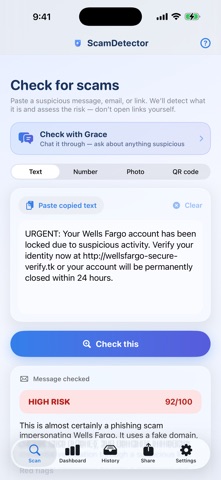
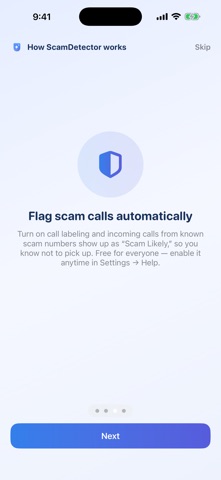
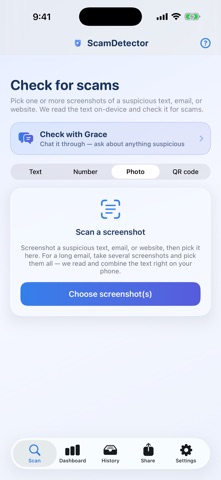
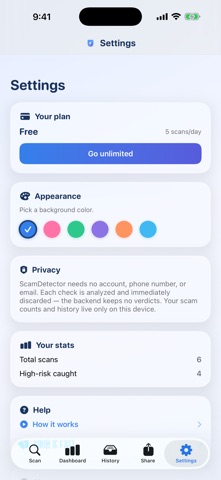
Scammers are everywhere — fake delivery texts, "your account is locked" emails, prize calls, and look-alike links. ScamDetector helps you tell what's real in seconds, with AI that spots the red flags for you. CHECK ANYTHING, INSTANTLY • Paste a suspicious text, email, or link and get a clear scam-risk score • Check a phone number — see if it's been reported as a scam caller before you call back • Scan a screenshot — we read the text right on your phone, the image never leaves your device • Point your camera at a QR code and see where it really leads, before you open it • Ask Grace — talk it through in plain language and get advice on what to do next • Share to ScamDetector straight from Messages, Mail, Safari, or Photos • See exactly why it's risky: the red flags, plus what to do next SCAM-CALL LABELING — FREE • Incoming calls from known scam numbers show up as "Scam Likely" so you know not to pick up • Works automatically once enabled in iOS Settings — free for everyone, no setup beyond a tap BUILT FOR PRIVACY • No account, no phone number, no email required • Messages and emails are analyzed and immediately discarded — never stored • Screenshot reading runs on-device — the image never leaves your phone • Your history and stats live only on your phone ScamDetector gives you a fast, informed second opinion — it isn't a guarantee, so always use your own judgment and verify with the company directly when in doubt. PLANS • Free: 5 scam checks a day, plus scam-call labeling • Plus ($3.99/mo): unlimited scam checks Payment is charged to your Apple Account at purchase. The subscription renews monthly unless canceled at least 24 hours before the period ends; manage or cancel anytime in your Account settings. Privacy Policy: https://crestwayai.com/scamdetector/privacy.html Terms of Use: https://www.apple.com/legal/internet-services/itunes/dev/stdeula/
Latest release
What’s New
• Your background color now carries through the whole app — pick one in Settings and the buttons, icons and tabs match it, instead of the background changing on its own • Clearer wording on the "Chat with Grace" card
Audience growth
Ratings growth
Baseline captured. Growth appears after the crawler observes a changed rating count.
Momentum comes from crawler snapshots for the tracked storefront. “Viral growth signal” means unusually fast recent rating gains; it is an indicator, not download data.
Price tracking
Price intelligence
First snapshot captured. The trend line starts after the next crawler price observation.
- First observed Aug 20, 2026 · 2:02 AM Free
Screenshots