About this app
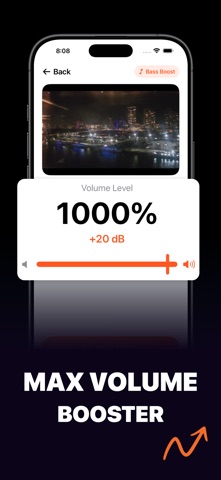
Volume Booster helps you make quiet videos and audio files louder directly on your iPhone or iPad. Pick media from Photos or Files, choose how much extra volume you want, preview the result, then save a boosted copy to your library. Use it when a video was recorded too softly, a lecture is hard to hear, a voice note needs more power, or an audio file sounds lower than the rest of your collection. The flow is simple: import, boost, compare, save. Raise volume from the original level up to 1000 percent with Premium. Free users can boost up to 299 percent. The volume slider shows both percentage and dB, so you can choose a level that feels right instead of guessing. A live level meter helps you see what is happening while you adjust, and the built-in soft limiter helps keep boosted audio usable instead of turning loud moments into harsh clipping. Volume Booster works with both videos and audio files. For videos, the app boosts the sound while keeping the original video track intact, so your footage stays as it was. For audio-only files, the app creates a boosted M4A file that you can play, rename, keep, or share. Want more low end? Premium also includes Bass Boost, a simple control that adds punch to low frequencies without changing your selected volume level. It is useful for music clips, workout videos, party edits, and anything that needs a fuller sound. Main features: Import videos from Photos Import audio or video from Files Boost volume up to 1000 percent with Premium Free volume boosting up to 299 percent Real-time preview while adjusting Original vs Boosted comparison before saving Bass Boost for deeper low end Soft limiter to reduce harsh clipping Live audio level meter Save boosted clips in a local library Rename and remove saved clips Built-in player with timeline controls Share boosted files to other apps Works on iPhone and iPad Volume Booster does not change your original file. It creates a new boosted copy, so you can keep the original safe and export only the version you want. Privacy and data: boosted processing and saved clips are handled on your device. See our Privacy Policy for details. Pricing: free to use with optional subscriptions for Premium features. Terms of Use: https://mobilecraft.io/terms Privacy Policy: https://mobilecraft.io/privacy/data
Latest release
What’s New
■ Improvements & Fixes - Fixed a visual glitch on the Library screen - A cleaner, simpler upgrade screen - Small speed and design improvements
Audience growth
Ratings growth
Baseline captured. Growth appears after the crawler observes a changed rating count.
Momentum comes from crawler snapshots for the tracked storefront. “Viral growth signal” means unusually fast recent rating gains; it is an indicator, not download data.
Price tracking
Price intelligence
First snapshot captured. The trend line starts after the next crawler price observation.
- First observed Aug 25, 2026 · 6:57 PM Free
Screenshots