About this app
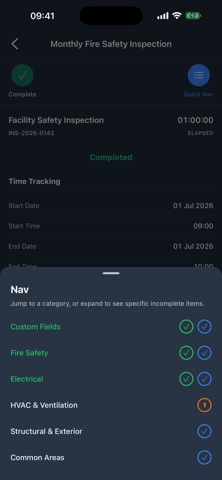
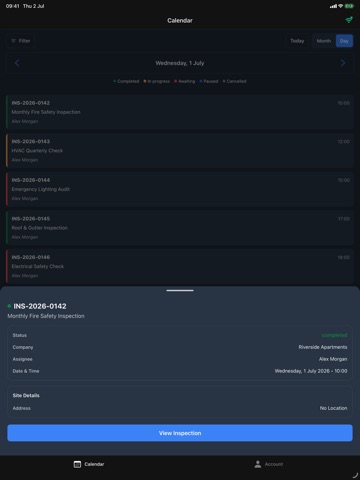
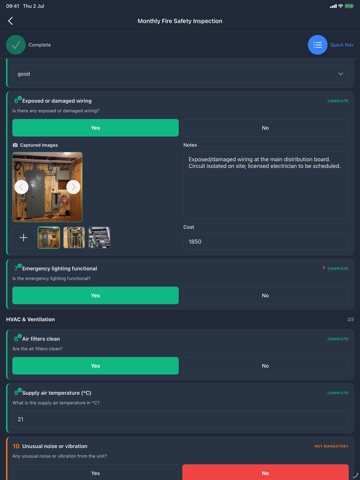
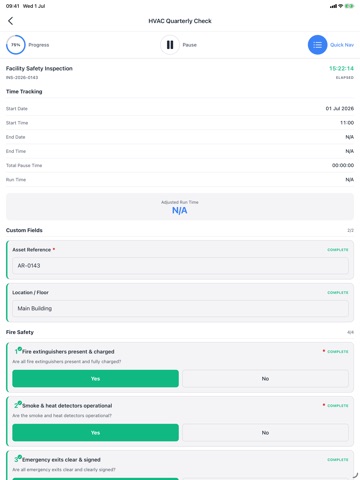
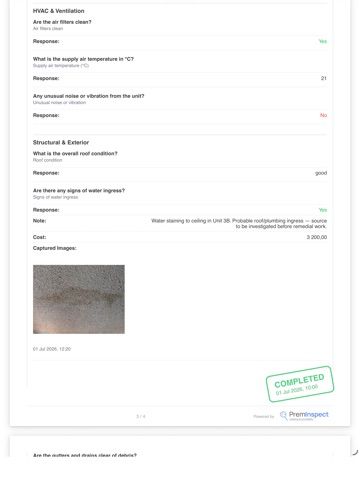
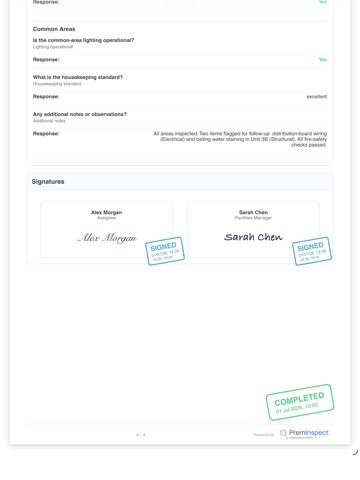
PremInspect turns your phone into a proof-of-work tool for any job your team does on site. Inspections, safety checks, deliveries, maintenance rounds, site audits, snag lists, attendance — if you can describe the job, your team can capture it as a guided checklist with photos, notes, signatures, GPS and timestamps. Your workflows, teams, clients, schedules and reporting are set up on the PremInspect web dashboard. Out in the field, this app is where the work gets captured — fast, even with no signal. BUILT AROUND HOW YOUR TEAM WORKS PremInspect is modular. Property and real estate teams run tenant inspections, maintenance visits and snag lists; other field operations shape the same toolkit around their own jobs. Your dashboard decides which modules your team gets — so the app shows the work you actually do, and nothing you don't. WORKS WHERE YOU WORK • Fully offline capture — run jobs, checklists and photos with no connection. • Syncs in the background on its own once signal returns, even with the app closed. • Always know where you stand — see what is queued, what has synced, and what needs attention. • Optional "Sync on Wi-Fi only" for teams keeping mobile data down. • Built mobile-first for real field conditions — a basement, a remote site, a building with no coverage. CAPTURE THE PROOF • Guided capture — move through categories and checklist items with pass/fail marking, notes and required-field enforcement, so nothing gets missed. • Photo evidence — attach photos to any item straight from your camera. • Signatures & sign-off — capture technician and client signatures on site. • Location & timestamps — every capture is GPS- and time-stamped, so you can prove the work was done on site. • Checklists that adapt — record "4 bedrooms" and the checklist builds the four sections for you. • Handles big jobs — hundreds of items stay organised in collapsible sections. SCAN AND GO • One QR, any subject — put a code on an asset, a site, a building, a unit or a door. • Scan to pick up the work already scheduled there — a site audit, a weekly safety check, a maintenance round — and it opens ready to run. Works offline. • Or start one on the spot when the job wasn't scheduled: scan, pick the workflow, go. • Quick Capture — scan a station QR to run a short on-the-spot workflow: a check, a delivery, a snag. • Multi-stage jobs — start stage one at the asset now; the later stages are scheduled automatically from the moment you scanned. CLOCK IN, WHEREVER THE JOB IS Where your company runs attendance on PremInspect: • Clock in and out from your phone, with an identity photo where your company requires it. • Works with no signal — clock in offline and it syncs when you reconnect. • Managers can clock a whole crew in and out from one phone, for workers without a usable device. STAY ON TOP OF THE WORK • Your schedule — the jobs, audits and recurring visits assigned to you, in a month calendar you swipe through. • Share in seconds — turn a completed job into a branded PDF report and send it by email, WhatsApp or any app. A COMPLETE AUDIT TRAIL Every action is timestamped, signed and photo-backed — a clear who-did-what-when record that protects your team and settles any dispute. Stop wondering. Start knowing. Setup and reporting — building workflows, modelling teams and clients, scheduling audits and live dashboards — live on the PremInspect web dashboard. This app is the field companion for the people doing the work. Download PremInspect and capture proof of every job — wherever the work happens.
Latest release
What’s New
DOCUMENT SIGNING — NEW A new Documents tab, for admins and managers on plans that include Document Signing. • Send a document for signature from one of your saved templates: pick the template, name it, add the signers, fill in your own fields, review and send. • Follow everything you have out for signature — who has signed, who it is waiting on, and the full history of each document. • Nudge whoever the document is waiting on with a reminder. • Void a document you no longer need, with the reason recorded against it. • Download or share the signed PDF once everyone has signed. Signers do not need the app. They sign through the link they receive, as before. Building and editing templates stays on the web app. FICA VERIFICATION — NEW A new Identity tab, for admins and managers on plans that include Identity Verification. • Send a client a FICA verification request in a few taps: their details, how to reach them, and the checks you need. • See what the selected checks will cost before you send. • Deliver the secure one-time link yourself if you would rather not send it • Void a document you no longer need, with the reason recorded against it. • Download or share the signed PDF once everyone has signed. Signers do not need the app. They sign through the link they receive, as before. Building and editing templates stays on the web app. FICA VERIFICATION — NEW A new Identity tab, for admins and managers on plans that include Identity Verification. • Send a client a FICA verification request in a few taps: their details, how to reach them, and the checks you need. • See what the selected checks will cost before you send. • Deliver the secure one-time link yourself if you would rather not send it by email or WhatsApp. • Look back over the requests you have sent. Reviewing documents, running checks and recording decisions stay on the web app. FASTER, SAFER OFFLINE WORK We have rebuilt how inspections are stored on your device. Rounds, photos and answers are saved item by item instead of in one large file, so the app holds more work offline, opens faster, and keeps what you have captured even if it closes mid-inspection or your phone restarts. • Queued work carries on uploading in the background instead of waiting until you next open the app, and makes full use of the time iOS allows. • An interrupted sync picks itself back up instead of stalling. • One "up to date" notice when everything has finished, rather than a notification per item. • If your session expires while you have unsent work, that work is kept and is still waiting when you sign back in. A QUICKER CAPTURE SCREEN • Long checklists stay smooth no matter how many items and photos they hold. • Signature pads are ready the moment you reach them, with no pause on the first tap.
Audience growth
Ratings growth
Baseline captured. Growth appears after the crawler observes a changed rating count.
Momentum comes from crawler snapshots for the tracked storefront. “Viral growth signal” means unusually fast recent rating gains; it is an indicator, not download data.
Price tracking
Price intelligence
First snapshot captured. The trend line starts after the next crawler price observation.
- First observed Sep 4, 2026 · 6:14 AM Free
Screenshots