About this app
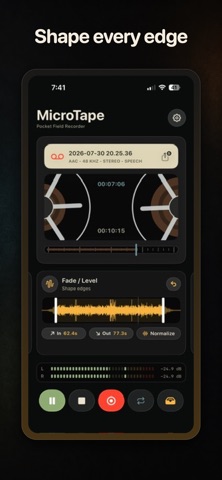
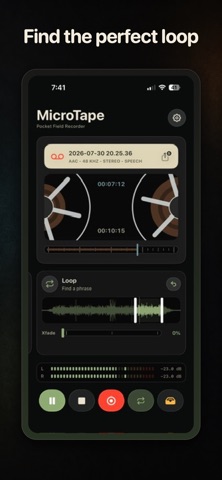
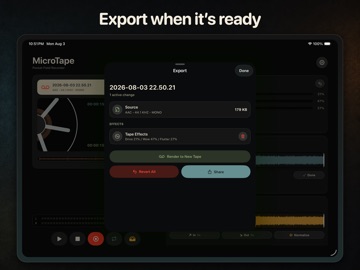
MicroTape is an audio recorder and tape editor for iPhone. Use it to record voice notes, field audio, music, samples, and other sounds. Press Record to start a new tape. MicroTape saves each tape automatically. You do not have to create a project or enter a file name. RECORD AUDIO • Select AAC, Apple Lossless, or WAV format. • Select a sample rate of 44.1, 48, or 96 kHz. • Record mono or stereo audio. • Set the input gain before you record. • Level meters show the input and playback levels. • MicroTape adds the date and time to each new tape. EDIT AND PLAY TAPES • Use the waveform to select a position or audio range. • Trim the start and end of a tape. • Loop a complete tape or a selected range. • Add a crossfade to the loop point. • Use varispeed to play audio in reverse, at low speed, or at double speed. • Add a fade-in or fade-out. • Normalize the audio and set the output gain. • Adjust the low, middle, and high frequencies with the equalizer. • Add tape drive, wow, and flutter effects. ORGANIZE YOUR TAPES • Rename each tape in the tape library. • Save a location with a tape when you enable this option. • MicroTape can identify sounds and speech topics on your device. • Use sound tags to filter the tape library. • Each rendered tape keeps a link to its source tape. EXPORT AUDIO • Share the original audio file without changes. • Export edits and tape effects as a new audio file. • Select AAC for a small file. • Select WAV for a full-quality file. • Select the sample rate and channel format for each export. Use MicroTape as a voice recorder, field recorder, music recorder, sample recorder, or audio looper. MicroTape is for musicians, sound designers, journalists, podcasters, and other users who record audio. Recording, playback, library controls, input controls, and original-file sharing do not require a subscription. Some edit, loop, effect, and export features require a MicroTape Premium subscription. Terms of Use: https://wavefoldlabs.com/products/micro-tape/terms Privacy Policy: https://wavefoldlabs.com/products/micro-tape/privacy
Audience growth
Ratings growth
Baseline captured. Growth appears after the crawler observes a changed rating count.
Momentum comes from crawler snapshots for the tracked storefront. “Viral growth signal” means unusually fast recent rating gains; it is an indicator, not download data.
Price tracking
Price intelligence
First snapshot captured. The trend line starts after the next crawler price observation.
- First observed Aug 24, 2026 · 8:53 AM Free
Screenshots