About this app
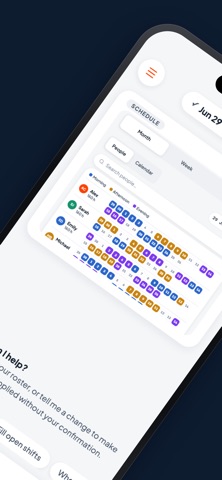
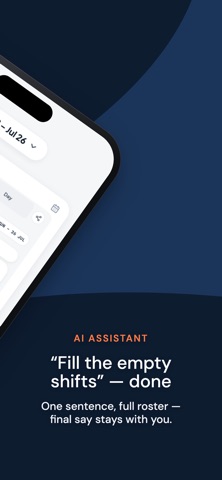
Scheduling headaches? Solved. imRoster builds your team's shift roster in minutes — not evenings. Type a request or just say it out loud: "fill the empty shifts", "give Sarah the weekend off", "balance everyone's hours". The AI assistant drafts the schedule, flags conflicts, and waits for your approval. Prefer hands-on control? Tap any cell and assign shifts or leave manually — the assistant is optional, the final say is always yours. BUILT FOR MANAGERS • AI assistant — build or fix a whole roster with one sentence, then approve • A whole month on one screen — every person, every shift, color-coded • Coverage calendar — assigned vs. required per day; spot short-staffed days instantly • Person pages — see anyone's month, edit their shifts, grant leave in two taps • Scheduling rules — fair-hours windows, shift limits, keep-apart / keep-together pairs • Publish and share — your team sees their plan the moment it's ready LIVE SHIFT TRACKING • Who's on right now? Active, on break, off — one live board • Clock-ins and clock-outs are automatic; breaks and totals tracked to the minute • Optional location sharing during shifts — transparent to the whole team • Payroll day, zero surprises: days worked and hours totaled per person per period FOR YOUR TEAM • Everyone carries their schedule in their pocket • One-tap shift start, break, and end • Leave shown right on the calendar WORKS EVERYWHERE SHIFTS HAPPEN Hospitals and clinics, security firms, restaurants and cafés, hotels, retail, call centers, manufacturing — any team that runs on shifts, from 5 people to 500. Run several teams? Manage multiple workspaces from one account and switch in a tap. Download imRoster and turn scheduling from a weekly chore into a two-minute task. Questions or feedback: www.imroster.com
Latest release
What’s New
Bug fixes.
Audience growth
Ratings growth
Baseline captured. Growth appears after the crawler observes a changed rating count.
Momentum comes from crawler snapshots for the tracked storefront. “Viral growth signal” means unusually fast recent rating gains; it is an indicator, not download data.
Price tracking
Price intelligence
First snapshot captured. The trend line starts after the next crawler price observation.
- First observed Aug 19, 2026 · 5:46 AM Free
Screenshots