About this app
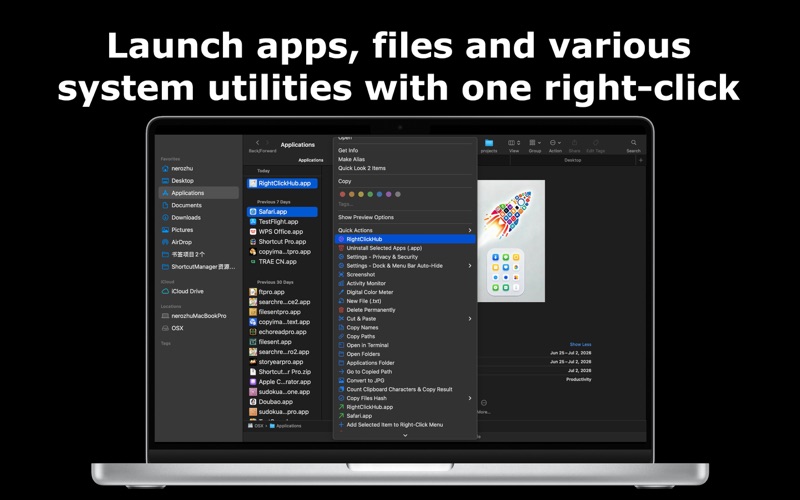
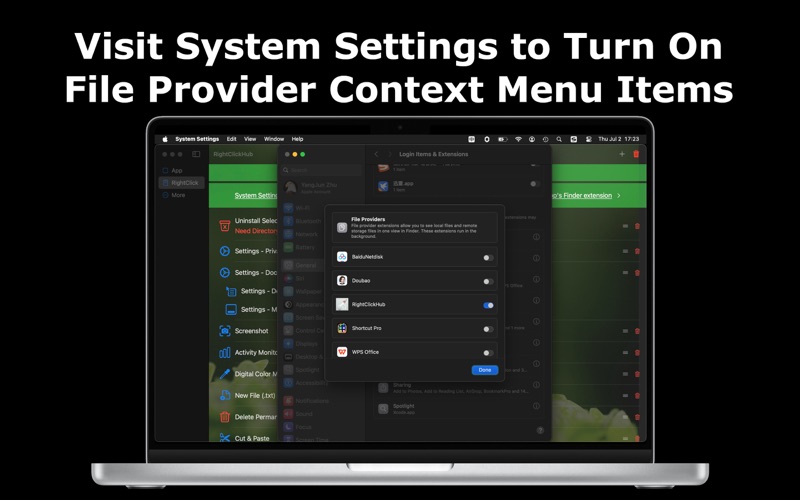
App, File, Folder Launch Center • Quickly launch apps, files, folders and custom functions via four entry points: keyboard shortcuts, right‑click menu, system menu bar, Dock and main program. Open target content with one click without switching interfaces. Also access over 100 built‑in practical tools including app uninstallation, disk cleanup and more. • Solve the pain point of hard‑to‑find apps after macOS 26 removes the native quick‑preview panel for apps. Improve inconvenient access to files and folders as well as limited software functionality. • Open files, folders, apps and hundreds of custom functions with keyboard shortcuts. • Manage files, folders, apps and function menus in the system menu bar; support one‑click launch and custom grouping. • Launch Center automatically syncs names and icons of native apps, files and folders with auto‑classification. Switch between flat‑style or directory‑style management views. • Dock layout supports side‑by‑side display of files, folders and apps. • Launch apps, files and various system tools via one‑click right‑click. Smart data synchronization between right‑click menu and main program. 100+ Built‑in Tool Collection (Continuously Updated): ‑ Add any app, file or folder via right‑click or inside the software for instant launch. ‑ Batch uninstall apps; scan ten residual folders to completely remove leftover files. ‑ One‑click deep storage cleanup: clear user / app / sandbox cache, logs, crash reports, Xcode build cache, temporary files, quarantine records and hidden .DS_Store files. ‑ Adjust mouse tracking speed. ‑ Show / hide hidden files; create new hidden folders. ‑ Scheduled power‑off, screen lock, log‑out, restart and shutdown. ‑ One‑click toggle for Dock and menu bar auto‑hide switches. ‑ Create new files. ‑ Permanently erase files without moving to Trash. ‑ Cut and paste files. ‑ Batch copy file names and full paths. ‑ Screenshot, Activity Monitor, digital color picker. ‑ Open the folder containing selected items in Terminal. ‑ Open multiple selected files at once. ‑ Jump to path stored in clipboard. ‑ Batch calculate hash values for various files. ‑ Count clipboard character count and file size. ‑ Simplified‑Traditional Chinese conversion, upper‑lower case conversion. ‑ JSON formatting and compression. ‑ Batch convert images to JPG to save disk space. ‑ Encryption‑decryption tools for URL, Base64, HTML, binary/octal/decimal/hexadecimal encoding. ‑ Remove com.apple.quarantine attribute from files. ‑ ZIP encryption, decryption and compression. ‑ Quick access to Privacy & Security, Dock and menu‑bar auto‑hide setting pages. • Support automatic launch at Mac startup. • Multiple sorting layouts for fast app location & launch: Smart Recommendation, Custom Sorting, Favorites on Top. • Smart recommendation with search memory. • Privacy & Security: Only access authorized folders; all data stored locally. • Convenient view of dates, public holidays, lunar calendar and 24 solar terms, together with weather information. • Upload custom images as software wallpaper for personalized interface.
Latest release
What’s New
Fixed the issue where the app category under the Utilities directory retains open history.
Audience growth
Ratings growth
Baseline captured. Growth appears after the crawler observes a changed rating count.
Momentum comes from crawler snapshots for the tracked storefront. “Viral growth signal” means unusually fast recent rating gains; it is an indicator, not download data.
Price tracking
Price intelligence
First snapshot captured. The trend line starts after the next crawler price observation.
- First observed Sep 30, 2026 · 1:53 PM $0.99
Screenshots