About this app
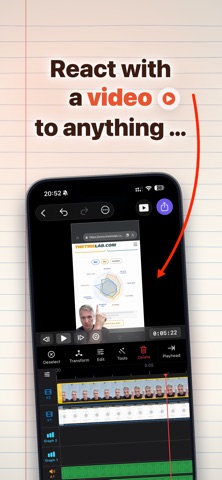
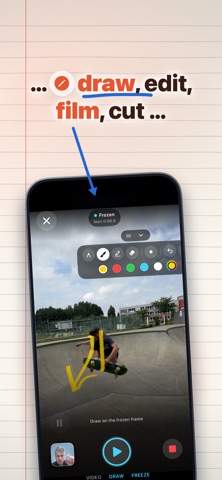
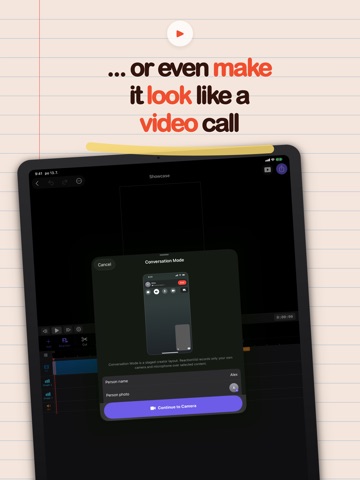
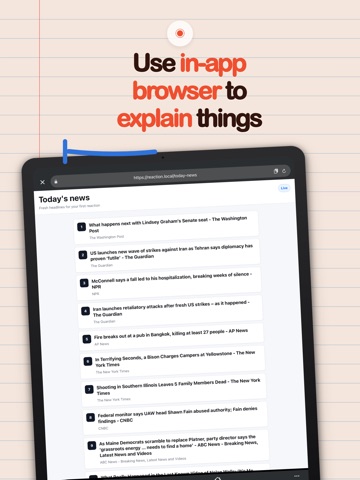
Your face. On anything. ReactionVid is the fastest way to record a reaction video on iPhone — pick what you're reacting to, hit record, and your take lands on top as its own editable layer. FOUR WAYS TO REACT VIDEO Pick any clip from Photos or Files and record your reaction over it while it plays. Perfect for commentary, duets, reviews, and "watch this" moments. WEBSITE Open any web page inside the app and react while you scroll. The page is recorded like a mobile browsing session, with your face on top — ideal for hot takes on news, drops, listings, and leaderboards. DUAL CAMERA Film the world with the back camera while the front camera records you. Both angles in one take — the moment and your reaction to it, perfectly in sync. CONVERSATION MODE Use an optional staged conversation layout for commentary, skits, interviews, and response-style videos. It records your own camera and microphone over selected content, then keeps the result editable in the timeline. YOUR REACTION IS A REAL LAYER Unlike screen recorders that burn everything into one flat video, ReactionVid keeps your camera as a separate overlay. Move it, resize it, restyle it — after you've recorded. • Background removal — no green screen needed, just you floating over the content • Freeze & draw — pause the moment and sketch right on it to make your point • Auto captions — word-accurate subtitles generated on-device • Multi-layer timeline — trim, split, and rearrange like a real editor • Color grade, transitions, effects — polish the whole thing in seconds EXPORT ANYWHERE One tap exports sized for TikTok, Reels, and YouTube Shorts. Portrait-first, full quality, no watermark surprises. Everything runs on your iPhone. No account, no upload, no waiting. Pick. Record. React. Post. REACTIONVID PRO Every editing tool is free to use. ReactionVid Pro removes the watermark from your exported reaction videos. • Weekly and monthly auto-renewable subscriptions, or a one-time lifetime unlock • Payment is charged to your Apple Account at purchase confirmation • Subscriptions renew automatically unless auto-renew is turned off at least 24 hours before the current period ends • Manage or cancel anytime in Settings > Apple Account > Subscriptions Terms of Use: https://www.apple.com/legal/internet-services/itunes/dev/stdeula/
Latest release
What’s New
ReactionVid 1.0.2 improves export reliability. Long renders now keep the screen awake, explain that the app should remain open, and automatically restart once if iOS interrupts an export after the app moves to the background.
Audience growth
Ratings growth
Baseline captured. Growth appears after the crawler observes a changed rating count.
Momentum comes from crawler snapshots for the tracked storefront. “Viral growth signal” means unusually fast recent rating gains; it is an indicator, not download data.
Price tracking
Price intelligence
First snapshot captured. The trend line starts after the next crawler price observation.
- First observed Aug 8, 2026 · 4:18 PM Free
Screenshots