About this app
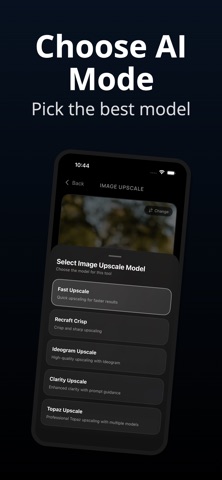
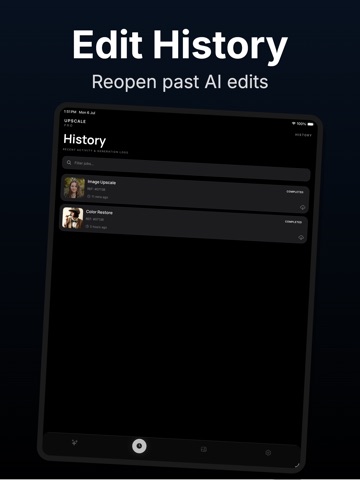
Upscale Pro helps you improve photos and videos with powerful AI tools for upscaling, color restoration, sharpening, and enhancement. Turn blurry, low-resolution, faded, or black-and-white images into cleaner, sharper, and more vivid results. Whether you want to improve portraits, restore old family photos, colorize memories, or enhance visual quality before sharing, Upscale Pro gives you simple AI tools in one clean app. With Upscale Pro, you can choose from multiple image enhancement modes, compare before-and-after results, save finished edits to your gallery, and revisit past generations from your history. Main features: • AI Image Upscale Improve image resolution and make photos look sharper and clearer. • AI Photo Enhance Reduce blur, improve detail, and enhance image quality in a few taps. • AI Color Restore Bring black-and-white or faded photos back to life with natural-looking color. • Before & After Preview Compare original and enhanced results before saving. • Gallery & History Save finished images and access recent AI generations anytime. • Video Enhancement Tools Improve video clarity, reduce noise, and upgrade low-quality footage. Upscale Pro is designed for portraits, old photos, social media images, profile pictures, memories, creative edits, and visual content that needs a cleaner, sharper look. Whether you are restoring a family photo, improving a blurry portrait, colorizing an old image, or enhancing content for sharing, Upscale Pro gives you fast AI-powered tools without complicated editing steps. Download Upscale Pro and start enhancing your photos with AI. Questions or feedback? We'd love to hear from you! support@higgsify.com Privacy Policy: https://sites.google.com/view/upscale-pro/privacy-policy Terms of Use (EULA): https://www.apple.com/legal/internet-services/itunes/dev/stdeula/
Latest release
What’s New
- Added Google AdMob Interstitial ads for free tier users. - Subscribed Pro users will continue to enjoy a completely ad-free experience. - Resolved preview media blur issues on the result screens. - Fixed critical crashes and improved app stability. - General performance optimizations and bug fixes.
Audience growth
Ratings growth
Baseline captured. Growth appears after the crawler observes a changed rating count.
Momentum comes from crawler snapshots for the tracked storefront. “Viral growth signal” means unusually fast recent rating gains; it is an indicator, not download data.
Price tracking
Price intelligence
First snapshot captured. The trend line starts after the next crawler price observation.
- First observed Sep 8, 2026 · 12:35 AM Free
Screenshots