About this app
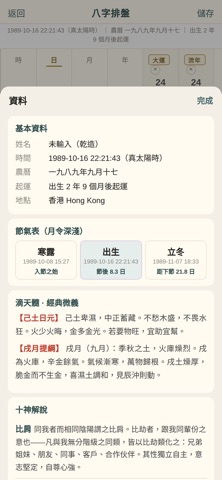
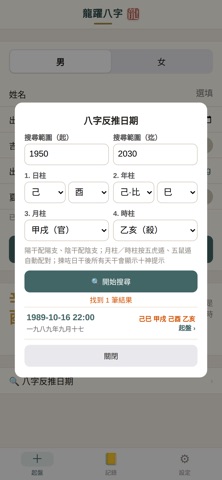
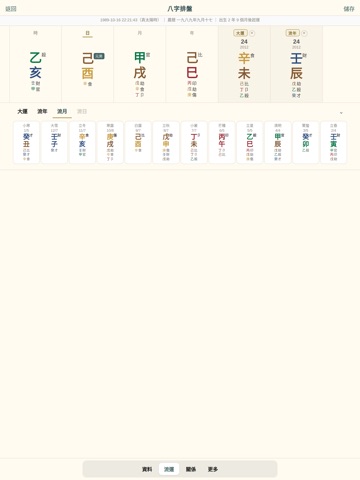
DRAGON BaZi is a BaZi (Four Pillars of Destiny) charting tool built for enthusiasts and serious students of Chinese metaphysics. Everything is calculated offline on your device — no network required, and no personal data is ever collected. KEY FEATURES - BaZi charting: enter a birth year, month, day and hour to instantly cast the four pillars, with Heavenly Stems, Earthly Branches, Five Elements and Ten Gods labelled automatically - True solar time: built-in coordinates for major cities convert local clock time to true solar time for a more accurate chart - Luck cycles: Major Luck (Da Yun), Annual, Monthly and Daily pillars, laid out so the flow of a life is easy to follow - Reverse lookup: work back from a known chart to the possible birth times - Saved records: keep charts on your device for later review and comparison (data never leaves your phone) - Print and export: share a chart or export it as a PDF for printing and discussion WHY DRAGON BAZI - Fully offline: works in airplane mode - Privacy first: nothing collected, nothing uploaded, nothing tracked, no ads - Clean design: traditional serif typography with a clear, uncluttered layout The content in this app is provided for cultural interest and entertainment only and does not constitute professional advice.
Latest release
What’s New
NEW GANZHI DATE PICKER • Birth date is now chosen step by step — year, month, day, hour — with the matching pillar shown live at every step • Year, month and day all scroll up and down without limit; decade, year and month headings keep long scrolls readable • The hour step offers thirteen cells (early Zi, Chou … Hai, late Zi). Early and late Zi produce different day pillars, so picking a cell removes the guesswork • The picker applies true solar time and daylight/winter corrections, so the pillars it shows match the cast chart exactly THREE WAYS TO ENTER A BIRTH TIME • Wheel picker (as before), typed entry, or the new Ganzhi picker — switch in Settings • Typed entry uses five fields (year, month, day, hour, minute) on a 24-hour clock, advancing automatically as you fill each one; minutes are optional AUTOMATIC DAYLIGHT / WINTER TIME CHECK • Pick a birthplace and date and the app checks that location's historical time rules: if daylight saving was in force it says so and corrects for it • Added a "Winter time" option, mutually exclusive with "Daylight saving" • Birthplaces expanded to 27, adding San Francisco, Seattle, Chicago, Houston, Boston, Phoenix, Honolulu, Calgary and Montreal • Clock time distorted by daylight saving throws true solar time out by a whole double-hour, so this check prevents a wrongly cast chart ALSO • Date display can be set to D/M or M/D • Step to the previous or next double-hour straight from the chart — useful when a birth hour is uncertain • Clear button on the name field, and a "Clear all" action on the new-chart form All chart calculations still run entirely offline. No personal data is collected.
Audience growth
Ratings growth
Baseline captured. Growth appears after the crawler observes a changed rating count.
Momentum comes from crawler snapshots for the tracked storefront. “Viral growth signal” means unusually fast recent rating gains; it is an indicator, not download data.
Price tracking
Price intelligence
First snapshot captured. The trend line starts after the next crawler price observation.
- First observed Aug 19, 2026 · 5:55 PM Free
Screenshots