About this app
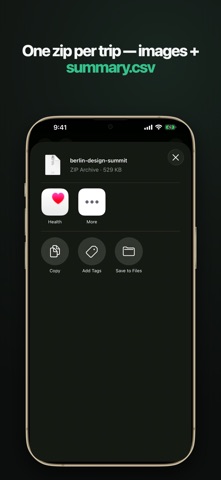
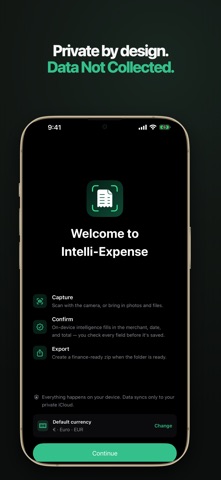
Turn a pocket of paper receipts into an organized, private, exportable expense record for every work trip. HOW IT WORKS Scan or import a receipt. On-device intelligence reads the vendor, date, amount, and currency. You confirm every field on a review screen, then save. Nothing is saved without your confirmation. ORGANIZED BY TRIP Create a folder for each trip and keep its receipts together. Intelli-Expense keeps totals separate for every currency, so EUR, JPY, GBP, USD, and other currencies are never mixed. Archive a trip when the work is done. EXPORT A CLEAN RECORD Export one zip per folder. It contains date-named receipt images plus a summary.csv your finance team can open anywhere. WORKS WITH YOUR AI AGENT On the Mac, Intelli-Expense ships an import skill for Claude Code and Codex. Point your agent at a folder of receipts and it does the data entry. Every entry lands as a card you confirm in the app, with its provenance recorded. Install the skill from Settings. PRIVATE BY DESIGN No accounts. No developer servers. No analytics. No third-party AI. Extraction runs on your device, and the only network traffic is sync inside your own private iCloud database. REQUIREMENTS Requires an iPhone with iOS 26 or a Mac with macOS 26, plus Apple Intelligence. When the on-device model is momentarily unavailable, capture still works and extraction can complete later. Questions and issues: https://intelli-expense.nags0107.workers.dev/support/
Audience growth
Ratings growth
Baseline captured. Growth appears after the crawler observes a changed rating count.
Momentum comes from crawler snapshots for the tracked storefront. “Viral growth signal” means unusually fast recent rating gains; it is an indicator, not download data.
Price tracking
Price intelligence
First snapshot captured. The trend line starts after the next crawler price observation.
- First observed Aug 9, 2026 · 12:25 PM Free
Screenshots