About this app
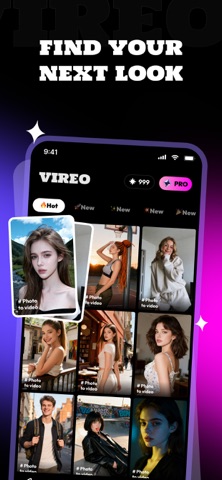
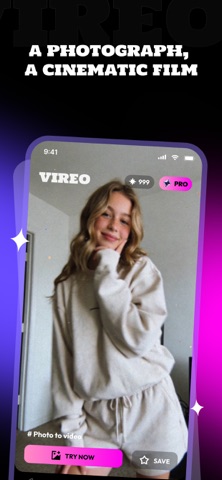
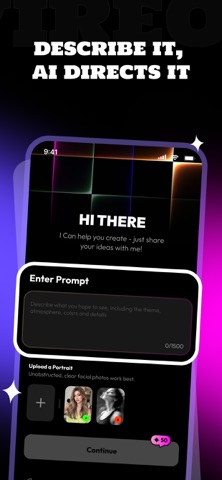
Making a short vertical video used to mean shooting footage, cutting it down, and matching every transition to the beat. Vireo replaces that whole process with a sentence — and, if you want, a single image. Vireo is an AI video generator with three ways in: pick a template and let it do the directing, describe the clip you want in plain words, or hand it a photo and tell it what should happen in the scene. Whichever route you take, you end up in the same place: a finished vertical clip, no footage shot and no timeline touched. Start from a template The template library is the fastest route in. Each template carries its own look, pacing, and camera behavior, so choosing one is already half the creative decision — it sets how the shot moves and what mood the finished clip lands on. Browse the library, pick something that fits, and Vireo builds around it. New templates are added regularly, so the library you open next month will not be the one you opened today. Write it, and watch it get made If nothing in the library matches the idea in your head, type the idea instead. Describe the subject, the setting, the way the camera should move, and Vireo generates the clip from that description alone. There is no source material to find and no camera involved at any point — the prompt is the entire input. Bring your own image You can also generate from a photo you already have. Upload the image, then write what should happen in it: how the camera should travel, what should move, what the scene should feel like. The image anchors the subject and the composition, while the prompt directs the motion. This is the route to take when you want a specific face, place, or object in the final clip rather than something the model invented. Vertical by default Everything Vireo produces is framed for a full phone screen from the first frame, not cropped down afterwards. Export in high definition, save clean without a watermark on Pro, and keep your work in the library so you can run the same idea through a different template whenever you want. How it works 1. Pick a template, or start from a blank prompt. 2. Write what you want to see — and upload a photo if you want the clip built around it. 3. Tap Generate Now. Your video will be ready in a few minutes. What makes Vireo different - Three ways to start: template, text, or text plus your own image - Nothing to shoot and nothing to edit — no footage, no timeline - The prompt directs the motion, so you decide how the shot behaves - Templates are curated and refreshed, so results do not go stale - Built vertical from the first frame Vireo Pro A Pro membership gives you a set amount of credits each billing cycle to spend on video generation, along with access to every template in the library, priority rendering when the queue is busy, high-definition export, and watermark-free saving. Subscription automatically renews unless cancelled at least 24 hours before the end of the current period. Payment will be charged to your Apple ID account at confirmation of purchase. You can manage or cancel your subscription at any time in your Apple ID account settings. By subscribing, you agree to our Terms of Service, Privacy Policy, and Subscription Agreement. - Terms of Service: https://vireooo.com/vireo-legal.html#terms - Privacy Policy: https://vireooo.com/vireo-legal.html#privacy - Subscription Agreement: https://vireooo.com/vireo-legal.html#subscription
Audience growth
Ratings growth
Baseline captured. Growth appears after the crawler observes a changed rating count.
Momentum comes from crawler snapshots for the tracked storefront. “Viral growth signal” means unusually fast recent rating gains; it is an indicator, not download data.
Price tracking
Price intelligence
First snapshot captured. The trend line starts after the next crawler price observation.
- First observed Aug 19, 2026 · 4:21 PM Free
Screenshots