About this app
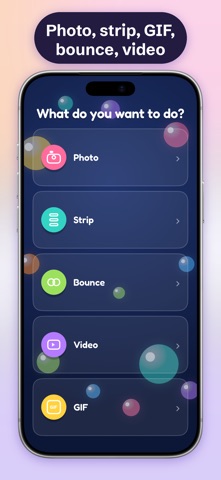
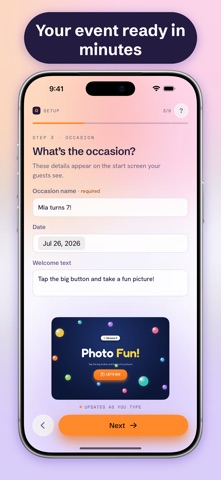
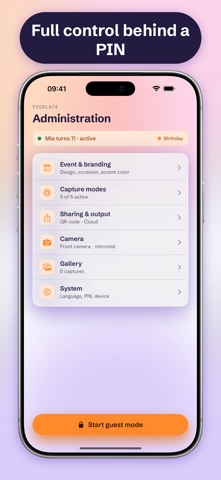
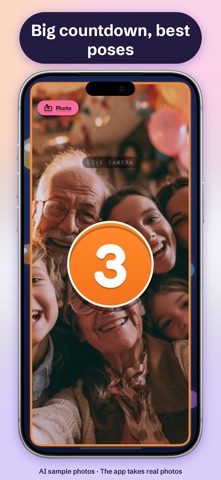
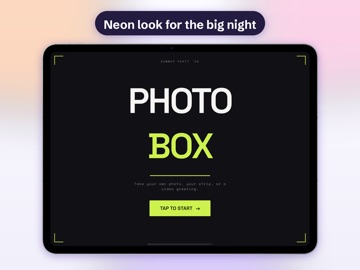
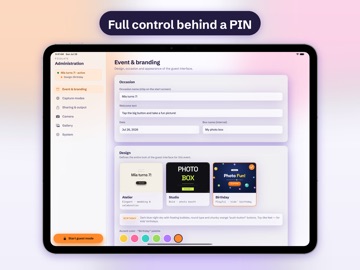
Set up your iPad or iPhone, start your event – and the device becomes a real selfie booth. By the end, every guest has their pictures on their own phone. FOR EVERY OCCASION • Three switchable designs: playful for kids' birthdays, elegant for weddings and family parties, neon look for the big night • Your own event title, welcome message, accent color and logo • Guest interface in English, German, French or Spanish – selectable per event AS EASY AS IT GETS 1. Create your event in the assistant: occasion, design, date 2. Set up the device and start guest mode 3. Guests tap the big shutter button, the countdown runs 4. Scan the QR code – done, the pictures are on the phone. No sign-up. FIVE CAPTURE MODES Photo, photo strip, GIF, bounce and video. You decide in the admin area which modes your event offers. ONE GALLERY FOR EVERYONE All shots collect in the shared event gallery. Guests open it in the browser via QR code, download their pictures and share them – reachable only through a link that can't be guessed, with an optional extra PIN. PRIVACY TAKEN SERIOUSLY • Hosted exclusively on servers in the EU • Automatic deletion after the event (after 7 or 30 days, depending on the event type) • No accounts and no registration for guests FULL CONTROL • PIN-protected admin area: modes, countdown duration, mirroring, sounds and gallery management • Locked guest mode – curious fingers won't end up in your settings • Your setup follows you to a new device via iCloud, plus an encrypted backup you can export PRICING Picolate is free to download. To go live, unlock your event with a one-time purchase – or use the Plus subscription for unlimited events. Purchases can be restored on a new device at any time. Download Picolate for free, pick a design and set up your first event in minutes — unlock it when it's time to go live. Questions or ideas? picolate.com Terms of Use (EULA): https://www.apple.com/legal/internet-services/itunes/dev/stdeula/
Latest release
What’s New
New: Picolate supports the new iPhone Duo – with a layout optimized for it. We also fixed minor bugs and improved usability.
Audience growth
Ratings growth
Baseline captured. Growth appears after the crawler observes a changed rating count.
Momentum comes from crawler snapshots for the tracked storefront. “Viral growth signal” means unusually fast recent rating gains; it is an indicator, not download data.
Price tracking
Price intelligence
First snapshot captured. The trend line starts after the next crawler price observation.
- First observed Oct 13, 2026 · 1:57 AM Free
Screenshots