About this app
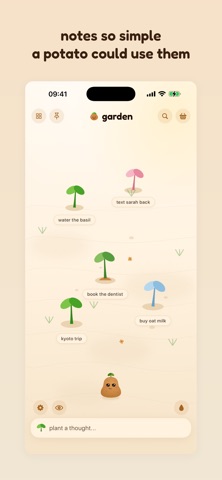
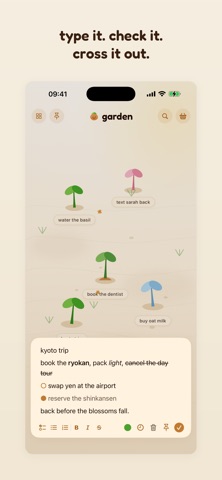
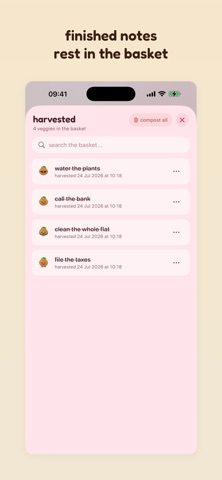
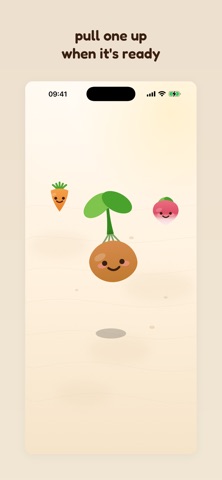
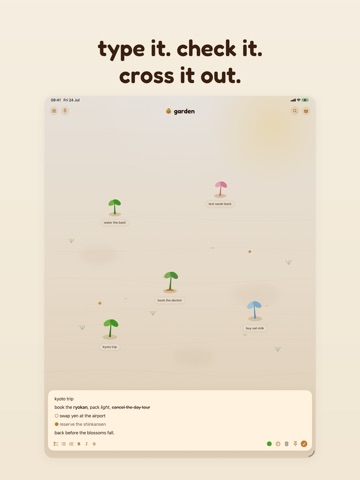
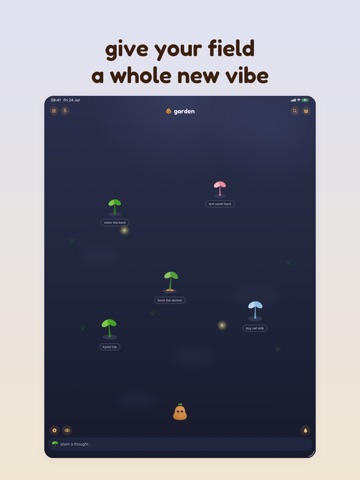
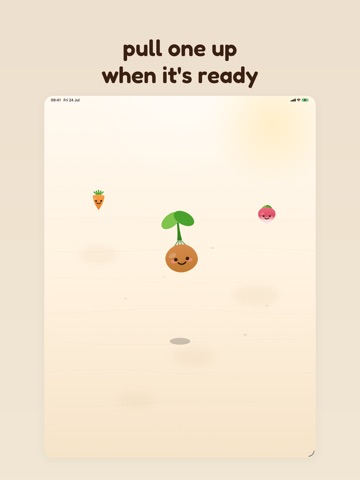
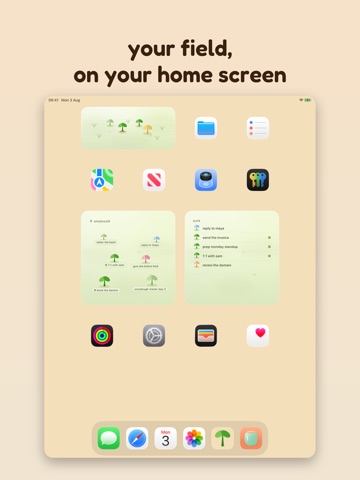
hey. i'm spud. i live in the dirt and think about your thoughts sometimes. spudnote is a notes app for people who are tired of notes apps. no databases, no setup, no folders inside folders inside folders. you open it, you type. that's the whole thing. here's the part i like: every note you write becomes a little sprout in your field. the ones you tend stay green. the ones you forget grow a small potato hat and wait for you, patiently, no guilt. when a note's done, you pull it up and it drops in the basket. the ones you want to keep close, you pin to a little windowsill shelf. it's calm down here. what you get: - open-and-type simplicity. the shortest distance between a thought and a saved note. - a whole field of notes you can actually see, not another gray list. - rich text when you want it: bold, italic, checklists, the usual. out of the way when you don't. - fields for the different parts of your life. one for work, one for the garden, one for the 2am ideas. - syncs quietly across your iphone, ipad and mac through your own icloud. i can't read them. nobody can but you. - widgets that put the field on your home screen: a field at a glance (as sprouts, or a plain list), and a windowsill for the notes you've pinned close. plus a one-tap "plant a thought" button, for when it can't wait. - a gentle reminder when you want one: tell a note to poke you tonight, tomorrow morning, or next week. your next one waits on your lock screen, so you see it coming before you even unlock. no accounts. no ads. no one watching. your notes live in the dirt with me, and the dirt keeps secrets. spudnote plus: want the whole garden? plus unlocks all eight vegetables, every theme, paint your sprouts in pastels (they show up in your widgets too), and outfits to dress your veggies in when you pull them. monthly, yearly, or a one-time forever. the free version is a real notes app though, not a trial. keep it as long as you like. payment is charged to your Apple ID at confirmation of purchase. subscriptions renew automatically unless auto-renew is turned off at least 24 hours before the end of the current period, and your account is charged for renewal within the 24 hours before the period ends. you can manage or turn off auto-renew anytime in your Apple ID account settings. terms of use (eula): https://www.apple.com/legal/internet-services/itunes/dev/stdeula/ privacy policy: https://hesychia.studio/privacy that's it. no big pitch. plant a thought, see how it grows. - spud
Latest release
What’s New
hey spudlings - just cleaned up a few bugs on this update: - empty fields now just say “tap to plant a thought” - the empty basket sits neatly on two lines - barefoot veggies stay barefoot unless harvested - sprouts no longer cover my words while I’m talking. we told the mound to sit down. - on mac, narrow windows still show the field name and keep the arrows in place. - harvest, settings and fields stay visible instead of falling off the sides. - clicking done no longer closes the whole app. the window stays put. that’s it. go plant something. - spud
Audience growth
Ratings growth
Baseline captured. Growth appears after the crawler observes a changed rating count.
Momentum comes from crawler snapshots for the tracked storefront. “Viral growth signal” means unusually fast recent rating gains; it is an indicator, not download data.
Price tracking
Price intelligence
First snapshot captured. The trend line starts after the next crawler price observation.
- First observed Aug 25, 2026 · 10:24 PM Free
Screenshots