About this app
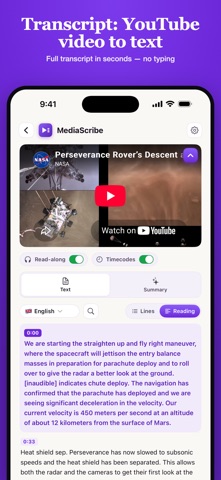
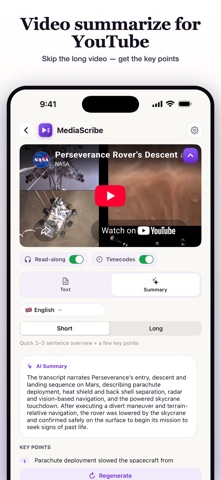
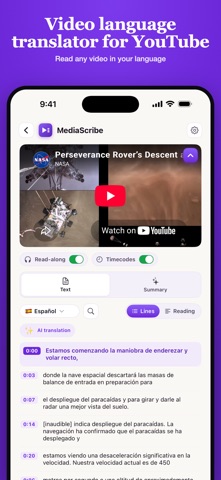
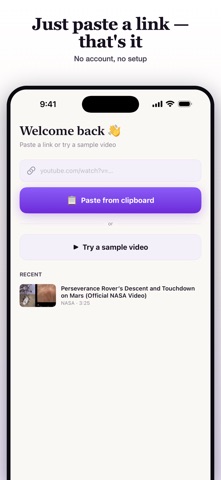
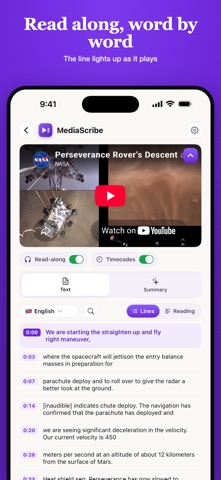
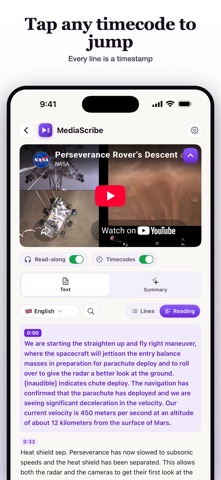
Turn any YouTube video into a clean, readable transcript — right on your iPhone. Paste a link or share a video straight from the YouTube app, and the full text appears in seconds: time-coded, searchable, ready to copy or export. Rather read than watch? Need a quote, a summary, or study notes from a long lecture? This app turns any YouTube video to text you can actually work with — no typing, no desktop. TRANSCRIPT WITH TIMESTAMPS • The full transcript of a YouTube video in seconds — no typing • Tap any timestamp to jump to that exact moment • Toggle timestamps on or off for a clean copy • Share Sheet support: send a video straight from the YouTube app HOW IT WORKS • Paste a YouTube link, or tap Share in the YouTube app and pick this app • The transcript appears in seconds, split into clean, time-coded lines • Read, search, translate, copy or export — all on your phone READ ALONG WITH THE VIDEO • The current line lights up as the video plays • Tap a line to replay that exact moment • Collapse the player and focus on the text AI SUMMARY • The key points of a long video in seconds • Short overview or detailed breakdown — your choice • Summaries in 50+ languages TRANSLATE ANY VIDEO • Read the transcript translated into your language • Captions and subtitles in 50+ languages NO CAPTIONS? NO PROBLEM • If a video has no subtitles, speech-to-text transcribes the audio for you SEARCH, COPY & EXPORT • Full-text search across every line of the transcript • Copy everything in one tap • Export as TXT, Markdown, SRT or VTT — timestamps included • Recent videos stay in your history until you clear them WHO IT'S FOR • Students turning lectures and talks into notes • Language learners reading along while they listen • Writers, marketers and creators pulling quotes and repurposing content • Anyone who scans a 40-minute video in 4 minutes of reading FAQ • How do I get the transcript of a YouTube video? Paste the link or share the video from the YouTube app — the transcript loads with timestamps, ready to copy or export. • Can I convert a YouTube video to text without captions? Yes — speech-to-text transcribes the audio when a video has no subtitles. • Can I translate a YouTube video into another language? Yes — read the transcript translated into 50+ languages in one tap. • Is it a YouTube to text converter? Yes — it turns any talk, lecture or clip into text you can read, search and export. • Which export formats are supported? TXT, Markdown, SRT and VTT, timestamps included. • Do exported subtitles keep their timestamps? Yes — SRT and VTT exports keep every timestamp, ready to reuse as captions. MEDIASCRIBE PRO Try it first: the preview shows the opening lines of your transcript plus a sample AI summary and translation. A MediaScribe Pro subscription unlocks everything — full transcripts, AI summaries, translation, speech-to-text for videos without captions, and export to every format. • Plans: weekly or yearly • Payment is charged to your Apple ID account at confirmation of purchase • The subscription renews automatically unless cancelled at least 24 hours before the end of the current period • Manage or cancel anytime in your App Store account settings Privacy Policy: https://mediascribe.app/privacy/ Terms of Use: https://mediascribe.app/terms/ Support: help@mediascribe.app This app is not affiliated with, endorsed by, or sponsored by YouTube or Google. YouTube is a trademark of Google LLC. The app uses the official embedded player and public captions; it does not save videos.
Audience growth
Ratings growth
Baseline captured. Growth appears after the crawler observes a changed rating count.
Momentum comes from crawler snapshots for the tracked storefront. “Viral growth signal” means unusually fast recent rating gains; it is an indicator, not download data.
Price tracking
Price intelligence
First snapshot captured. The trend line starts after the next crawler price observation.
- First observed Aug 21, 2026 · 1:53 AM Free
Screenshots