About this app
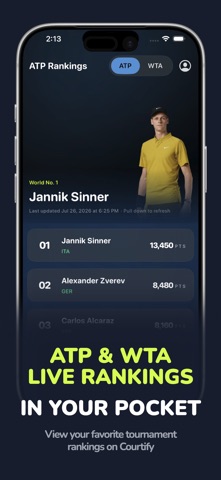
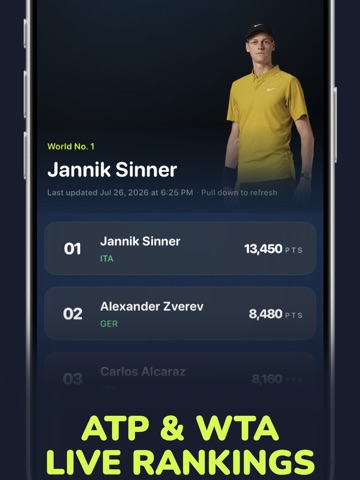
US Open 2026 is ON! Home Screen and Lock Screen tennis widgets for ATP and WTA. Track your favorite player, live scores, rankings, and Grand Slam countdown — without opening the app. Courtify is the tennis companion built for your Home Screen and Lock Screen. Pick a player, glance at rank and season record, browse the calendar, and add widgets that actually look like tennis. FEATURES • Favorite player — rank, season W–L, and next Grand Slam countdown • ATP & WTA rankings — top standings, pull to refresh • Tournament schedule — Slams and Masters with live countdowns • Live score for your favorite when they’re on court • Order of play and standings widgets for the season WIDGETS 20+ Home Screen and Lock Screen styles: • Favorite player (Small & Medium) — free • Lock Screen Rank & Stats — free • Live scores, rankings, next tournament, countdown, season calendar, order of play, and more — Premium • Themes, textures, and tournament-branded looks. Restyle from Home Screen → Edit Widget Small, Medium, and Large on the Home Screen, plus circular and rectangular Lock Screen widgets. FREE TO START Favorite player widgets and Lock Screen Rank & Stats are included. Unlock the full gallery and customization with Courtify Premium (auto-renewable subscription via Apple In-App Purchase). Restore Purchases anytime in Settings. Privacy Policy: https://courtify.xyz/privacy Terms of Use: https://courtify.xyz/terms Support: support@courtify.xyz ---- Disclaimer Courtify is an independent, unofficial tennis companion app and is not affiliated with, endorsed by, or sponsored by the ATP, WTA, ITF, or any Grand Slam tournament (Australian Open, Roland Garros, Wimbledon, US Open) or related entities. ATP, WTA, and related marks are trademarks of their respective owners. Player names and likenesses are used for informational purposes only and do not imply endorsement. Scores, rankings, and schedules may be delayed or incomplete and are for personal, non-commercial use.
Latest release
What’s New
Performance improvements and bug fixes
Audience growth
Ratings growth
Baseline captured. Growth appears after the crawler observes a changed rating count.
Momentum comes from crawler snapshots for the tracked storefront. “Viral growth signal” means unusually fast recent rating gains; it is an indicator, not download data.
Price tracking
Price intelligence
First snapshot captured. The trend line starts after the next crawler price observation.
- First observed Sep 3, 2026 · 7:28 PM Free
Screenshots