About this app
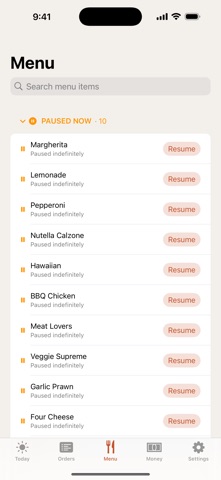
Restaurant Manager puts your whole operation in your pocket. Check how every store is doing, keep orders moving, and stay in control from anywhere — phone or Apple Watch. MULTIPLE STORES, ONE VIEW See revenue, order counts, and trends across all your stores at a glance, then tap into any store for the detail. LIVE ORDERS Watch orders come in, see what's active right now, and open any order for its full timeline — placed, confirmed, printed, and emailed. STAY IN CONTROL Pause or reopen a store in one tap when the kitchen gets slammed, and see cancellation reasons at a glance. MENU AT YOUR FINGERTIPS Search your menu and pause individual items or add-ons when you run out. ON YOUR WRIST A companion Apple Watch app shows today's revenue, order count, and store status — and lets you pause or reopen without reaching for your phone. Add complications to keep the numbers on your watch face. Light and dark themes, with an in-app switch.
Latest release
What’s New
New in 1.1.0 • A cleaner, faster redesign across the whole app. • Fleet view: see every shop's health and issues in one place (multi-shop operators). • Earnings reconciled against your real payouts — accurate totals by shop, week, and month. • Face ID sign-in, editable payout schedules, and refunds from the orders view. • More reliable: no unexpected sign-outs, and data stays put on refresh.
Audience growth
Ratings growth
Baseline captured. Growth appears after the crawler observes a changed rating count.
Momentum comes from crawler snapshots for the tracked storefront. “Viral growth signal” means unusually fast recent rating gains; it is an indicator, not download data.
Price tracking
Price intelligence
First snapshot captured. The trend line starts after the next crawler price observation.
- First observed Sep 4, 2026 · 7:44 AM Free
Screenshots