About this app
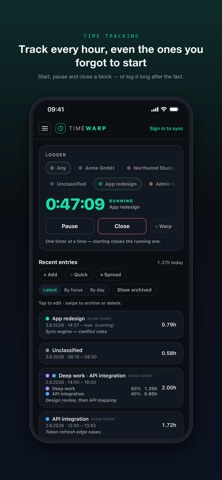
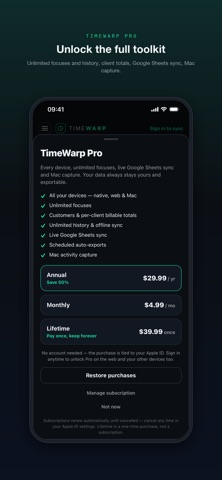
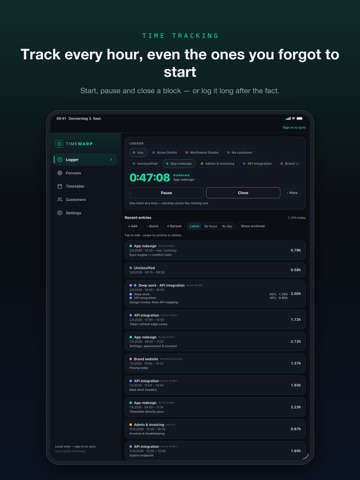
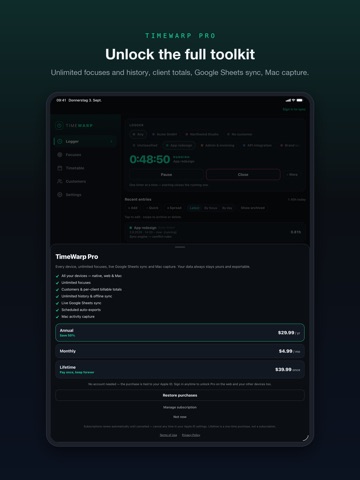
Track every hour — even the ones you forgot to start. TimeWarp is a fast, local-first time tracker for people who bill by the hour, run projects, or just want an honest picture of where their week went. Start a timer, log time by hand, or capture it on your Mac — then see your whole week as a clean timetable and export it in a tap. FORGOT TO HIT START? WARP THE CLOCK BACK. Pressed Start ten minutes late? Spin the WarpDial to add the minutes you already worked. No date pickers, no editing timestamps — just reclaim the time and keep going. WAYS TO LOG • Live timer — pick a focus, tap Start; one timer at a time, so it's always clear what you're on. • Manual entry — add, edit, or delete past intervals whenever you like. • Unclassified time — start a timer with no focus and assign it later, or split one block across several focuses by percentage. YOUR WEEK, AT A GLANCE Every entry is grouped by day with daily and weekly totals, so your timesheet is done before you sit down to do it. WORKS OFFLINE, SYNCS EVERYWHERE TimeWarp logs on-device first and syncs when you're back online — never lose a minute. One account keeps your timetable identical on iPhone, iPad and the web, and a running timer shows up ticking in real time across every device. EXPORT WHERE YOU ALREADY WORK One tap sends your timetable to Excel. Link a Google Sheet and push to it whenever you like. Your data is always yours — export it any time. CAPTURE ON MAC Add the optional Mac client to quietly record app and window activity as unclassified time, then assign it to your focuses later. DESIGNED FOR IPHONE AND IPAD A clean, dark interface that rotates and adapts to an iPad-optimized layout. FREE TO START Track with the timer and manual entry, keep 30 days of history, and export to Excel on the Free plan — no card required. Upgrade to Pro for unlimited focuses and history, every device, live Google Sheets export, scheduled auto-exports, and Mac capture. Track your first hour in a minute. TimeWarp Pro is available as a monthly or annual auto-renewable subscription, or as a one-time Lifetime purchase. Payment is charged to your Apple ID at confirmation of purchase. Subscriptions renew automatically unless auto-renew is turned off at least 24 hours before the end of the current period; your account is charged for renewal within 24 hours before the period ends. Manage or cancel your subscription in your Apple ID account settings after purchase. Terms of Use (EULA): https://timewarp.sp33c.tech/terms Privacy Policy: https://timewarp.sp33c.tech/data-privacy
Latest release
What’s New
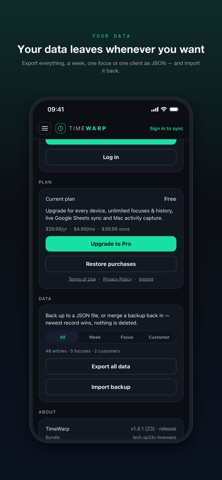
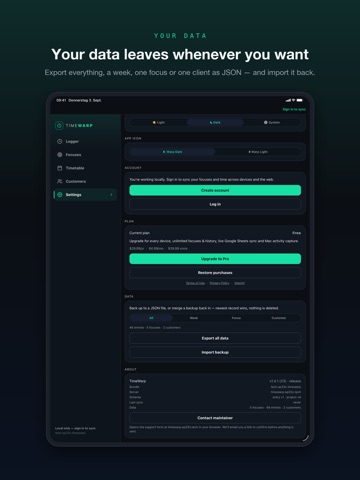
Customers and billing • Attach focuses to a client and see billable totals per customer, each in their own rate and currency. • Flip the timetable to per-customer rows. Your data, portable • Export everything — or just this week, one focus, or one client — as a JSON file, and merge a backup back in. A clearer log • A block split across several focuses now lists the hours each focus got, not just its percentage. • Every block shows from → to, and the log groups by day. Logging that keeps up • Pause and resume the timer, and edit a block while it runs. • Spread one total across a date range — one finished block per day. • Deleting and archiving now ask first.
Audience growth
Ratings growth
Baseline captured. Growth appears after the crawler observes a changed rating count.
Momentum comes from crawler snapshots for the tracked storefront. “Viral growth signal” means unusually fast recent rating gains; it is an indicator, not download data.
Price tracking
Price intelligence
First snapshot captured. The trend line starts after the next crawler price observation.
- First observed Sep 4, 2026 · 5:20 AM Free
Screenshots