About this app
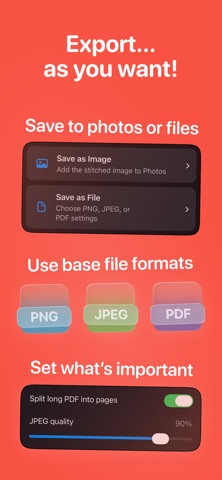
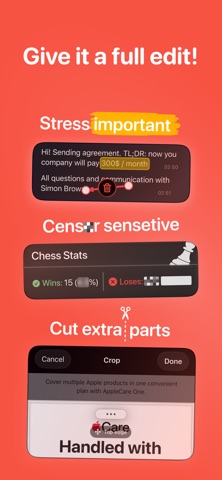
A long chat, article, feed, or web page won't fit on one screen — so you take a stack of screenshots. Then you're stuck stitching them by hand: hunting for where one frame meets the next, trimming edges, lining things up. It eats your time, and the seam still shows and the image comes out crooked. Stitcher gets it right in seconds — one clear image with no visible seams, no repeated bars, and no scrollbar THREE WAYS TO MAKE A LONG SCREENSHOT • Import screenshots — pick existing shots from Photos and let the app do the rest • Web Capture — paste a link and Stitcher grabs the full webpage • Scrolling Capture — start a screen recording, scroll through a chat, feed, or article, and the app turns the video into one long screenshot WHY YOU CAN'T SEE THE SEAM Stitcher finds exactly where two frames overlap and joins them right there. It auto-aligns the images, hides the scrollbar, and removes repeated headers and toolbars. Want it perfect? Nudge the seam by hand. A REAL EDITOR • Hide what's private before you share: blur, pixelate, or drop a black box over names, numbers, and personal details • Point things out: arrows and a marker in any color to highlight what matters • Crop and fine-tune the final image PRIVATE BY DEFAULT Stitching, editing, and redaction all happen right on your device. Your screenshots are never uploaded, and no account is required. Import and scrolling capture don't need the internet at all — works on a plane, works offline FEATURES • Stitch up to 50 images into one picture • Crop the result to any length • Auto-alignment and duplicate header/bar removal • Automatic scrollbar removal • Redaction: blur, pixelate, black box. • Arrows for emphasis • Export to PNG, JPEG, or PDF — with JPEG quality and "split long PDF into pages" controls • Batch-export several projects at once • Save to Photos, keep a project history, and optionally remove the originals • Share a site straight from Safari right into Stitcher • Live activity — you can exit the app while app is stitching really long screenshots Long screenshots. No pain.
Latest release
What’s New
Stitching got a lot better. We put Stitcher through hundreds of real captures from the apps people use most, found every place a seam went wrong, and fixed them one by one. Each fix went into the core engine rather than the app it came from, so it holds up on captures we never tested.
Audience growth
Ratings growth
Baseline captured. Growth appears after the crawler observes a changed rating count.
Momentum comes from crawler snapshots for the tracked storefront. “Viral growth signal” means unusually fast recent rating gains; it is an indicator, not download data.
Price tracking
Price intelligence
First snapshot captured. The trend line starts after the next crawler price observation.
- First observed Aug 23, 2026 · 6:55 AM Free
Screenshots