About this app
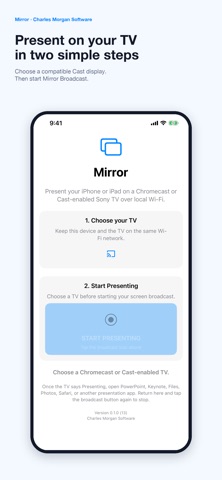
Mirror Local Cast makes it easy to present your entire iPhone or iPad screen on a Chromecast or Cast-enabled Sony TV over the same local Wi-Fi network. Choose your TV, tap Start Presenting, select Mirror Broadcast, and open Keynote, PowerPoint, Photos, Files, Safari, or another visual presentation app. Mirror preserves the complete screen: - Portrait presentations are centered with black side bars. - Landscape presentations use the TV's full width. - Video is optimized for responsive visual presentations. Mirror is free and does not require an account or a hosted relay server. Screen content travels directly across your local Wi-Fi network to the selected Cast receiver. Audio is not streamed. Mirror is designed for slides, documents, photos, websites, demonstrations, and other visual presentations. Requirements: - iPhone or iPad and TV connected to the same Wi-Fi network - Chromecast or a Cast-enabled Sony TV - Local network and screen broadcast permissions
Audience growth
Ratings growth
Baseline captured. Growth appears after the crawler observes a changed rating count.
Momentum comes from crawler snapshots for the tracked storefront. “Viral growth signal” means unusually fast recent rating gains; it is an indicator, not download data.
Price tracking
Price intelligence
First snapshot captured. The trend line starts after the next crawler price observation.
- First observed Aug 20, 2026 · 12:21 AM Free
Screenshots