About this app
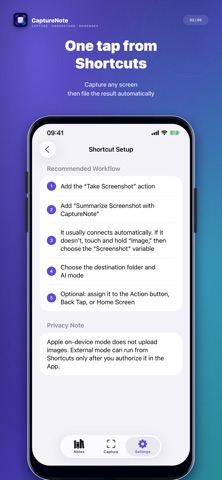
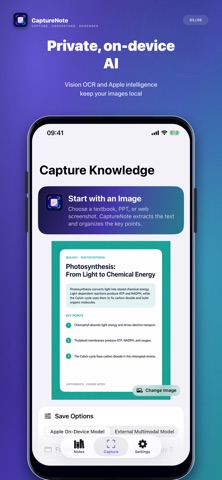
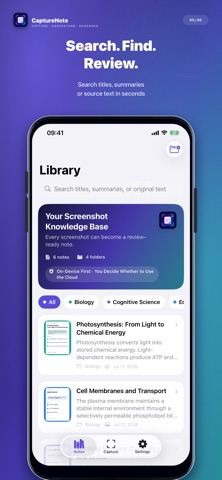
Turn screenshots from textbooks, lectures, websites, and chats into notes you can actually find and use. CaptureNote extracts text from images, distills summaries and key points, and keeps the source image, full recognized text, and structured note together. You can also send a screenshot to CaptureNote from Shortcuts and save it directly to the folder you choose. KEY FEATURES • Image to text: On-device OCR extracts text from screenshots and photos. • Smart summaries: Create a title, concise summary, and key points with less manual copying. • Shortcuts actions: Summarize a Screenshot or Recognize Screenshot Text as part of your automation. • Folders and search: Organize, search, edit, move, share, or delete notes. • Keep the context: Store the source image, full text, summary, and key points together. • Local first: OCR and local processing happen on device. Content is never uploaded without your explicit consent. Ideal for lecture slides, textbook screenshots, web research, reading highlights, and quick ideas. Turn the screenshots in your photo library into knowledge you can reuse. CaptureNote is free to download. Basic OCR, editing, folders, search, and 5 complete smart summaries are free; unlimited smart summaries and summary Shortcuts require a one-time Lifetime Pro in-app purchase.
Latest release
What’s New
CaptureNote brings a new app icon and a unified visual identity. Your notes, folders, and Lifetime Pro access stay intact, and Shortcuts actions now use the CaptureNote name. (Existing NoteLoom users can upgrade in place.)
Audience growth
Ratings growth
Baseline captured. Growth appears after the crawler observes a changed rating count.
Momentum comes from crawler snapshots for the tracked storefront. “Viral growth signal” means unusually fast recent rating gains; it is an indicator, not download data.
Price tracking
Price intelligence
First snapshot captured. The trend line starts after the next crawler price observation.
- First observed Aug 24, 2026 · 7:10 PM Free
Screenshots