About this app
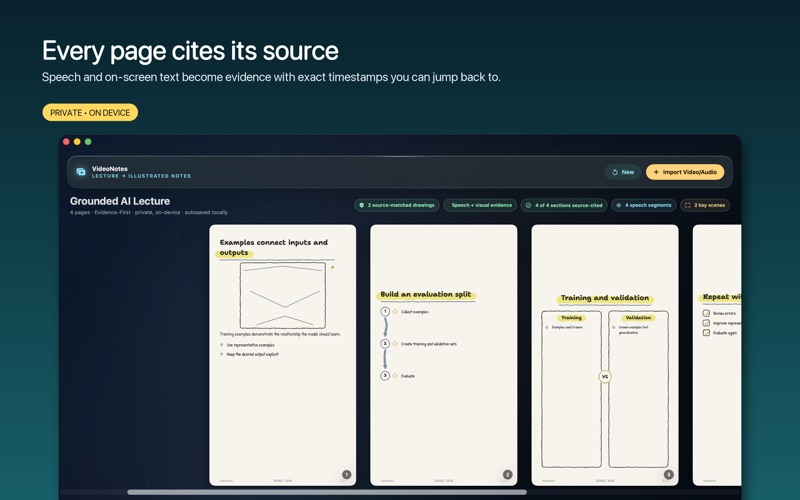
VideoNotes turns a recorded lecture into illustrated, source-cited study notes — without uploading the video or creating an account. FROM VIDEO TO NOTES, ON YOUR DEVICE Import a lecture, tutorial or talk (or just an audio recording). VideoNotes transcribes the speech, reads on-screen text from slides and boards with Vision OCR, selects the frames that actually carry information, and structures all of it into clean study notes with exact source timestamps. HAND-DRAWN SKETCHNOTE PAGES The headline act: VideoNotes renders your notes as beautiful hand-drawn sketchnote pages — headings, key points, arrows, frames and diagrams in a warm, paper-like style with real hand-lettering fonts. Four palettes, deterministic output, and every page traceable back to the source moment it came from. EVIDENCE, NOT GUESSWORK VideoNotes treats extracted material as evidence: every cited card links to the exact frame or transcript time it came from. The searchable Evidence Inspector lets you filter by speech or OCR, preview the source at the cited moment, correct anything, and regenerate deterministically. Synthesized summaries are explicitly labeled for review. 14 NOTE FORMATS The same typed note model can be presented as Illustrated pages, Cornell Notes, a Hierarchical Outline, Q&A Flashcards, Exam Revision, a Timeline, Focus Cards, a Study Guide and more — every format preserves every section, nothing is silently dropped. STUDY MODE Built-in spaced-repetition study cards (FSRS) turn your notes into a revision plan, and scrub-to-source jumps you back into the original video at the cited moment. EXPORT EVERYTHING Tagged, searchable PDF with a pixel-identical text layer; PNG pages; Markdown; accessible HTML; plain text; structured JSON; DOCX; PPTX; EPUB; even Anki decks. PRIVATE BY DESIGN Transcription, OCR, structuring and sketch rendering all run on-device. No uploads, no account, no analytics. FREE TO USE VideoNotes is free to download and use, with no account or sign-in required. Transcription, illustrated notes, and hand-drawn sketches are generated entirely on your device.
Latest release
What’s New
This update includes bug fixes and performance improvements.
Audience growth
Ratings growth
Baseline captured. Growth appears after the crawler observes a changed rating count.
Momentum comes from crawler snapshots for the tracked storefront. “Viral growth signal” means unusually fast recent rating gains; it is an indicator, not download data.
Price tracking
Price intelligence
First snapshot captured. The trend line starts after the next crawler price observation.
- First observed Aug 7, 2026 · 8:42 PM Free
Screenshots