About this app
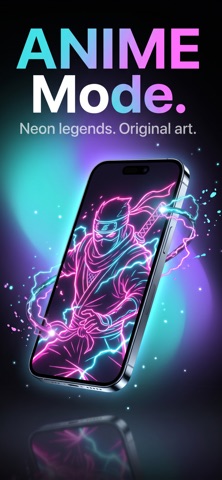
Wallzen - Live Wallpaper 4K gives you stunning 4K wallpapers, real live wallpapers that move on your Lock Screen, and the one thing that makes it truly yours: turn any video from your camera roll into a Live Photo wallpaper. KEY FEATURES • Live Wallpapers Real Live Photos, not a video trapped inside an app. Set one, press and hold your Lock Screen, and it moves. • Live Photo Maker Pick a video ( convert video to live Wallpaper ). Trim it, set the speed, choose the cover frame, preview it live, and save. Under a minute. Everything happens on your phone. • 4K & HD Quality Hand-picked backgrounds in crisp 4K, made for every iPhone screen. • No Watermark, No Account What you make comes out clean. No sign-up, no email, nothing to remember. • Always Fresh New wallpapers appear on their own. No app update needed. • Fast & Simple Favourites, History, Random, and smooth full-screen swiping. HOW TO SET A LIVE WALLPAPER 1. Download or create it in Wallzen - Live Wallpaper 4K 2. Open Photos and find it 3. Tap Share, then Use as Wallpaper 4. Tap the Live icon, bottom-left 5. Press and hold your Lock Screen Step 4 is the one everyone forgets. GOOD TO KNOW Requires iOS 17 or later. Live Wallpapers rely on Apple's Live Photo support on the Lock Screen, so results can vary by device. Shorter clips work best. DISCLAIMER All wallpapers are for personal use only. Content is created, licensed, or sourced from publicly available material. If you believe anything infringes your rights, contact us and we'll remove it right away. Anything you make from your own video stays yours. We never claim it, and it is never uploaded. Make your Lock Screen move. Download Wallzen - Live Wallpaper 4K Privacy Policy: https://sites.google.com/view/livewallpaper4k-privacy Terms of Use: https://sites.google.com/view/live-wallpaper-4k-terms-us
Audience growth
Ratings growth
Baseline captured. Growth appears after the crawler observes a changed rating count.
Momentum comes from crawler snapshots for the tracked storefront. “Viral growth signal” means unusually fast recent rating gains; it is an indicator, not download data.
Price tracking
Price intelligence
First snapshot captured. The trend line starts after the next crawler price observation.
- First observed Aug 21, 2026 · 12:08 AM Free
Screenshots