About this app
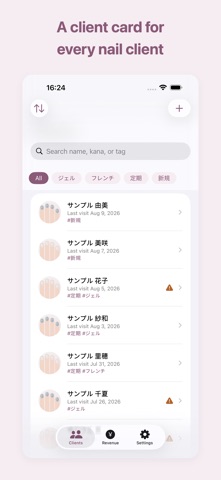
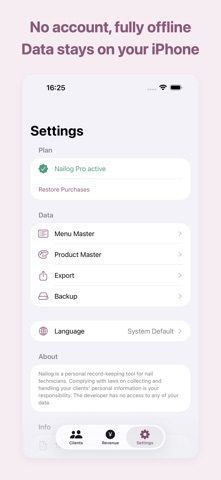
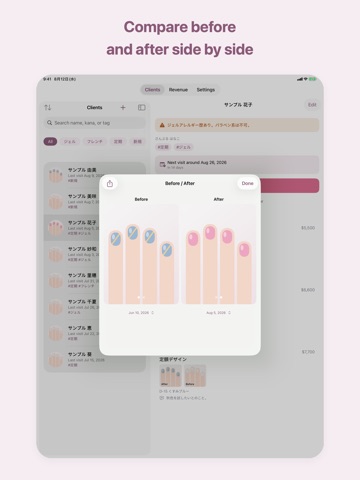
"What color did I use last time?" — never again. Nailog is the client-record app for nail techs: visit history, photos, allergy cautions and color codes, kept on your iPhone alone. No account. Free for up to 30 clients. - Visit timeline Record the menu, price, colors used (with product codes), conversation notes and photos for every visit. See last time at a glance. - Cautions always in view Allergies and nail-condition notes stay pinned to the top of the client screen so you never miss them. - Before / After Place two past photos side by side to compare your work. ■ Backup Saves your clients, visits and photos into a single file. Use it to bring everything to a new device. - Fully offline, zero data collection All data is stored only on your iPhone. No server uploads, no account, no data collection. The free version stores up to 30 clients and 3 photos per visit. Upgrade to Nailog Pro for unlimited clients and photos, plus revenue summaries, before/after comparison, and CSV/PDF export. Nailog Pro includes ongoing features and updates. Nailog Pro - Yearly plan: includes a 7-day free trial - Monthly plan Your subscription renews automatically unless canceled at least 24 hours before the end of the period. Manage or cancel in Settings > Apple ID > Subscriptions. Terms of Use: https://freetokyo.github.io/web/nailog/terms.html Privacy Policy: https://freetokyo.github.io/web/nailog/privacy.html Nailog is a personal record-keeping tool for nail technicians. Complying with laws on collecting and handling your clients' personal information is your responsibility. The developer has no access to any of your data.
Latest release
What’s New
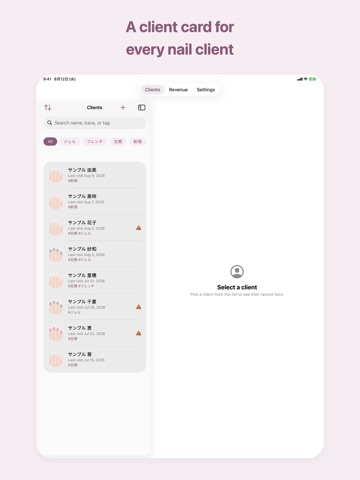
• Backup and restore. Save clients, visits, photos and handwritten notes to a single file and bring them to a new device. • Draw handwritten notes on nail photos. • Client record PDFs now include the photos. • Pinch to zoom in the before/after view, and share it as one image. • On iPad, the client list and the record now sit side by side. • Delete and discard prompts always offer a Cancel button. • You can now erase all data from Settings.
Audience growth
Ratings growth
Baseline captured. Growth appears after the crawler observes a changed rating count.
Momentum comes from crawler snapshots for the tracked storefront. “Viral growth signal” means unusually fast recent rating gains; it is an indicator, not download data.
Price tracking
Price intelligence
First snapshot captured. The trend line starts after the next crawler price observation.
- First observed Sep 11, 2026 · 7:56 PM Free
Screenshots