About this app
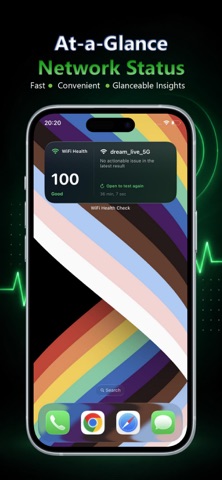
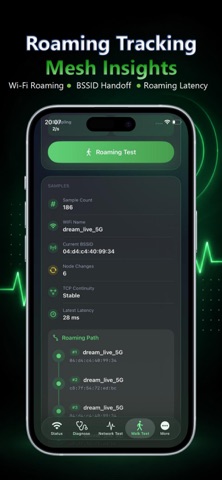
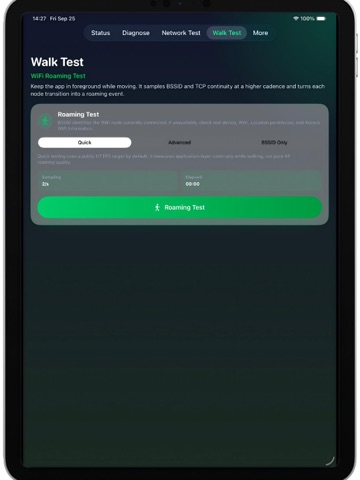
WiFi Health Check is a local network diagnostic tool built for everyday users and IT professionals. It helps you identify Wi-Fi, DNS, gateway, and internet connectivity problems, then provides clear, actionable guidance based on the measured results. One-Tap Network Diagnosis Quickly check your current Wi-Fi and network environment, default gateway, DNS resolution status and latency, TCP connectivity, public website availability, IPv4 and IPv6 paths, network health score, and diagnostic confidence. Actionable Troubleshooting When an issue is detected, the app explains what to try next, including completing a Wi-Fi captive portal sign-in, checking router WAN connectivity, testing without a VPN or custom DNS, distinguishing TCP timeout, refusal, and reset errors, and investigating IPv4 or IPv6 path problems. After making a change, rerun the diagnosis to see whether the network improved. TCP Stability Testing Run continuous TCP connection tests against a local device or selected service. Review minimum, average, and maximum latency, timeout count, jitter, connection failure categories, and test trends. Wi-Fi Roaming Records Designed for Mesh and multi-AP environments. Record BSSID transitions, connection events, and nearby latency changes while moving through the network. Local Network Discovery Discover Bonjour services and common LAN devices, including computers, printers, NAS systems, media devices, and other network services. Home Screen Widgets Use small and medium widgets to view the latest health score, network status, Wi-Fi name, most important detected issue, and last diagnostic time. Tap the widget to open the app and run another diagnosis. WiFi Health Check PRO Upgrade to PRO for complete action plans, troubleshooting step progress, before-and-after fix verification, advanced TCP, IPv4/IPv6 and Mesh guides, custom LAN scan ranges, higher scan concurrency, and enhanced Bonjour device identification. Local and Private No account is required. Diagnostic history stays on your device by default. The app does not automatically change Wi-Fi, DNS, or router settings. Network tests run only when you start them. Widgets display only the latest saved diagnostic summary. From identifying a problem to deciding what to do next, WiFi Health Check makes network troubleshooting clearer and more practical. Legal Terms of Use: https://www.apple.com/legal/internet-services/itunes/dev/stdeula/ Privacy Policy: https://wifi.opshome.run/privacy/
Latest release
What’s New
1. Diagnostic results now include clear, actionable troubleshooting steps. 2. PRO users can track completed actions and compare results before and after a fix. 3. Added small and medium Home Screen widgets for the latest health score, Wi-Fi status, and primary issue. 4. Added an offline Troubleshooting Center covering Wi-Fi, DNS, TCP, IPv4/IPv6, and Mesh network problems. 5. Improved verification logic for resolved, improved, unchanged, and worsening network conditions. 6. Redesigned the More and About screens with a cleaner, more professional interface. 7. Improved diagnostic history, report sharing, and overall interface stability.
Audience growth
Ratings growth
Baseline captured. Growth appears after the crawler observes a changed rating count.
Momentum comes from crawler snapshots for the tracked storefront. “Viral growth signal” means unusually fast recent rating gains; it is an indicator, not download data.
Price tracking
Price intelligence
First snapshot captured. The trend line starts after the next crawler price observation.
- First observed Oct 2, 2026 · 10:08 PM Free
Screenshots