About this app
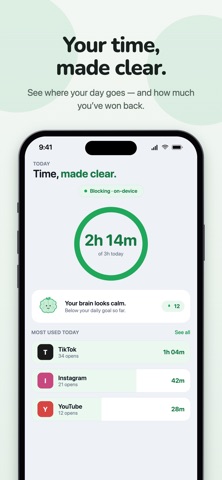
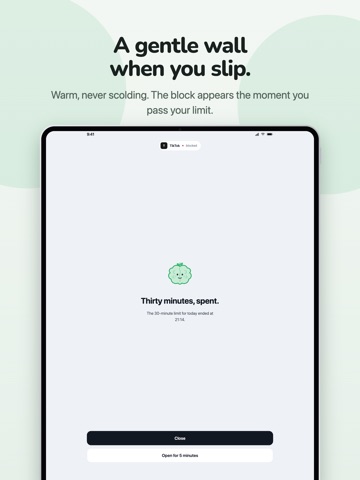
You didn't mean to spend two hours on that app. DetoxBrain puts a moment of friction between the reflex and the scroll — and makes blocking that actually holds. 1. Block distracting apps - Pick the apps that pull you in. DetoxBrain shields them — enforced by your phone's own system, so it works even when DetoxBrain isn't open, even offline, even after a restart. - Multiple independent block groups: your bedtime rules don't have to fight your work rules. - A "Fix blocking" button and self-healing shields, because a blocker that silently stops blocking is worse than no blocker. 2. Screen-time limits that fit a real life - Daily time budgets per app, plus open-count limits — for the apps you don't spend long in, you just open forty times. - Recurring schedules: bedtime, mornings, work hours. - A pause and an intention prompt before you go in, with a delay that grows as the day's opens add up: 10 seconds, then 30, then a minute. - Need in anyway? Take a timed session — 5, 10, 15 or 30 minutes — and it re-locks itself. A decision, not a slip. 3. Focus sessions - Start a 25, 50, or custom-length session. Your blocked apps stay blocked; the timer keeps running in the background. - Finish, and your streak grows. 4. Insights & streaks — free, all of it - Today's total, per-app breakdown, pickups, yesterday's comparison, a 7-day chart, a calendar heatmap. - Distraction-only mode: only the apps you chose count. Maps, music and messages don't get held against you. - A brain-health score with real long-term progression — yesterday's discipline doesn't get erased overnight. 5. Private by default — not as a promise, as an architecture Your usage data never leaves your device. Not "we don't look at it" — we can't. Apple's Screen Time framework confines your screen-time data to a sandbox on your phone, and we built no server that could receive it. Your app list, your blocklist, how long you spend where: all of it stays on the device. Nothing to sell, nothing to leak. No account required to use any of it. 6. Premium The free tier is meant to be genuinely useful — full stats, three blocked apps, the friction layer, streaks, and your emergency pass are free forever. Upgrade for: - Block as many apps as you want, organized into separate groups — and block a whole category, like Social, in one tap - Strict mode: once a focus session starts, you can't switch it off from inside the app. Your weekly emergency pass still works, and "Remove all shields" is always there — it just takes two hours to land. - Custom shield screens - Detailed weekly insights Monthly, annual (with a 7-day free trial) and lifetime plans. No full-screen ads, ever — an app about protecting your attention has no business interrupting it. 7. There's always a way out An emergency pass, once a week. A "Reset all shields" button that's never behind a paywall. If your subscription lapses, everything you set up keeps running exactly as it was — nothing is switched off, nothing is deleted. To change it you'd come back to Premium or trim down to the free tier, but the way out is never for sale. Getting locked out of your own phone is a bug, not a feature. Built with care by a solo developer in Hanoi. Email me — I actually reply: support@detoxbrain.web.app Terms of Use: https://www.apple.com/legal/internet-services/itunes/dev/stdeula/
Latest release
What’s New
You can now start and end a focus session from your Apple Watch — the phone can stay in another room. Your streak and the little brain's mood are there too. Also new: • Stick a small tag somewhere out of the way — a drawer, the fridge, another room. A strict session can be set so that ending it early means walking over and holding your iPhone to it. Any NFC sticker works. Off unless you turn it on. • A small panel on your Home Screen shows what's blocked, and a button in Control Center starts a session — neither needs the app open. • Say "Hey Siri, start a DetoxBrain session." It works in Shortcuts too. • While a session runs, the time left sits on your Lock Screen. • Websites can be blocked now, not only apps. • A 14-day program, one small step a day, if you'd rather ease in. • An optional morning routine that keeps the noisier apps shut until you've properly started your day. It's called the Morning Quest. Everything stays on this iPhone. There's no account, nothing to sign in to, and nothing about what you use, or for how long, leaves the device.
Audience growth
Ratings growth
Baseline captured. Growth appears after the crawler observes a changed rating count.
Momentum comes from crawler snapshots for the tracked storefront. “Viral growth signal” means unusually fast recent rating gains; it is an indicator, not download data.
Price tracking
Price intelligence
- First observed Aug 8, 2026 · 2:54 PM Free
Screenshots