About this app
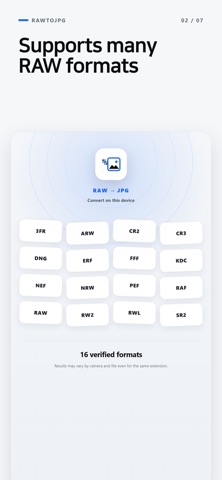
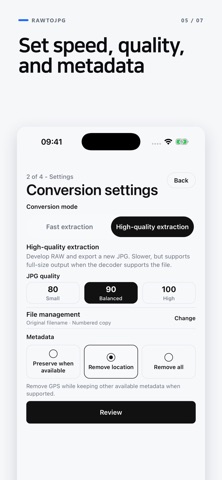
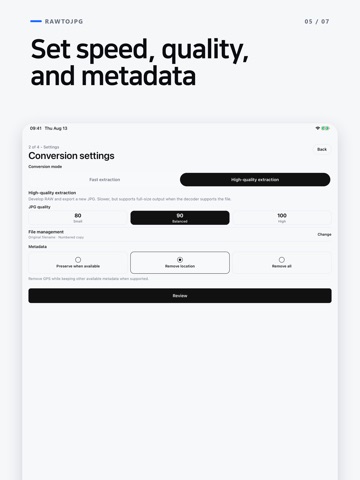
Convert camera RAW formats such as CR2, CR3, NEF, ARW, and RAF to JPG directly on your iPhone or iPad. Conversion is processed on your device. Select RAW files or a folder, or send them to RawToJPG from Files or another app using Share. Choose an output folder for each batch or set a default folder in File management. Conversion modes • Fast extraction: Uses the embedded JPG preview when available. It is quick, but may not match the RAW file’s full resolution. • High-quality extraction: Develops the RAW file with JPG quality options of 80, 90, or 100. Output controls • Keep metadata, remove location information, or remove all metadata • Never overwrite an existing JPG with the same filename • Keep original RAW files unchanged • Recover interrupted batches and retry failed files Free and Pro • Free: Up to 10 files per batch. Each new valid batch requires one completed rewarded ad before conversion. If no ad is available while online, conversion continues. Closing the ad early, going offline, or other ad errors do not start conversion. • Pro: One-time purchase with no ads and unlimited files per batch RAW formats verified with iOS samples 3FR, ARW, CR2, CR3, DNG, ERF, FFF, KDC, NEF, NRW, PEF, RAF, RAW, RW2, RWL, SR2 Compatibility can vary by camera model and file contents, even when files use the same extension. Keep the original RAW file until you have checked the exported JPG.
Latest release
What’s New
Improved file limit guidance and back navigation.
Audience growth
Ratings growth
Baseline captured. Growth appears after the crawler observes a changed rating count.
Momentum comes from crawler snapshots for the tracked storefront. “Viral growth signal” means unusually fast recent rating gains; it is an indicator, not download data.
Price tracking
Price intelligence
First snapshot captured. The trend line starts after the next crawler price observation.
- First observed Aug 24, 2026 · 1:39 AM Free
Screenshots