About this app
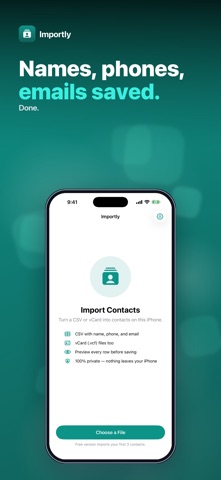
Got a contact list in a spreadsheet or a .vcf file? Importly turns a CSV or vCard file into real contacts on your iPhone — and shows you every one before anything is saved. Choose the file in the Files app (iCloud Drive, On My iPhone or another location), check the preview, then tap Import. The contacts appear in the Contacts app on this iPhone. • CSV FROM SPREADSHEETS — reads comma-, semicolon- or tab-separated CSV, quoted fields with commas inside, and UTF-8, UTF-16 or Shift_JIS text. • AUTOMATIC COLUMNS — recognises common headers in English, German, French, Spanish, Portuguese and Japanese — such as First Name, Vorname, Prénom, Nombre, Sobrenome or 姓 / 名 — for name, company, phone, email, address and notes, plus Google Contacts and Outlook exports. The header row is never imported as a contact. No header row? Columns are read in order: name, phone, email — or first name, last name, phone, email. A single Name column is split into first and last name; Japanese, Chinese and Korean names keep the family name first. • VCARD TOO — open .vcf files holding one card or many. • PREVIEW FIRST — see how many contacts were found and each name, phone number and email. Nothing is saved until you tap Import. • STRAIGHT INTO CONTACTS — contacts are saved to your default Contacts account with a progress bar, then a summary of how many were imported. Honest scope: from a CSV, each contact gets a name (with reading/furigana if present), company, every phone number and email, and an address. vCard files keep every field — addresses, all numbers and emails, birthdays, websites and photos. Notes are read but not saved: iOS lets only specially approved apps write the Contacts notes field. Contacts that are already on your iPhone — same name and the same phone number or email — are skipped, and the summary tells you how many. Files can be up to 15 MB. Your file is read on your iPhone and contacts are written only when you tap Import. Nothing is uploaded and no account is needed. Try it free — the free version imports the first 3 contacts from a file. A one-time $4.99 purchase imports every contact, with no limit. No subscription, no ads. Questions: overlapmarr@gmail.com
Latest release
What’s New
Clearer App Store description. Improved translations and small fixes.
Audience growth
Ratings growth
Baseline captured. Growth appears after the crawler observes a changed rating count.
Momentum comes from crawler snapshots for the tracked storefront. “Viral growth signal” means unusually fast recent rating gains; it is an indicator, not download data.
Price tracking
Price intelligence
- First observed Aug 11, 2026 · 8:38 AM Free
Screenshots