About this app
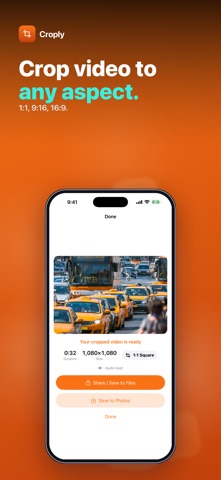
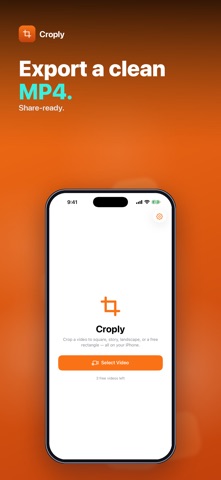
Need a video square for a post, vertical for a story, or widescreen for a slideshow? Croply crops the picture of any video in your library to 1:1, 9:16 or 16:9 — or to a free crop window you size yourself — and saves a clean MP4. Pick a video, choose the aspect, drag the crop box over the part you want to keep and tap Crop Video. The whole clip is kept from start to end; only the frame changes. • THREE PRESETS + FREE — 1:1 square, 9:16 portrait and 16:9 landscape, each starting as the largest centered crop that fits your video. Free mode gives you a crop window with a size slider. • DRAG TO FRAME — slide the crop box over the video preview. Everything outside it is dimmed, and the output size in pixels is shown before you export. • AUDIO KEPT — the sound is carried over to the cropped video. • CLEAN MP4 EXPORT — re-encoded at the highest-quality setting, at the original resolution of the area you keep. No upscaling, no watermark. • SAVE OR SHARE — save the result to Photos, share it, or save it to Files. • BATCH AFTER UNLOCK — pick up to 50 videos at once. With a preset, the first uses the crop box you placed and the rest get a centered crop at the same aspect. In Free mode, every video gets your crop window at the same relative position and size. Honest scope: Croply crops the frame only — it doesn't trim the length, rotate, add borders or change speed. Cropping always re-encodes the video, so long clips take a moment and need some free storage. Everything runs on your iPhone. Nothing is uploaded and no account is needed. Try it free — 1 video. A one-time $4.99 purchase unlocks unlimited videos and batch cropping. No subscription, no ads. Questions: overlapmarr@gmail.com
Latest release
What’s New
HDR videos stay HDR: cropped clips from your camera keep their original brightness and colour instead of coming out darker.
Audience growth
Ratings growth
Baseline captured. Growth appears after the crawler observes a changed rating count.
Momentum comes from crawler snapshots for the tracked storefront. “Viral growth signal” means unusually fast recent rating gains; it is an indicator, not download data.
Price tracking
Price intelligence
- First observed Aug 11, 2026 · 8:38 AM Free
Screenshots