About this app
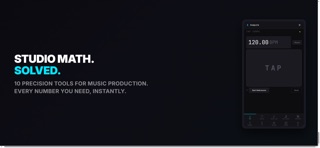
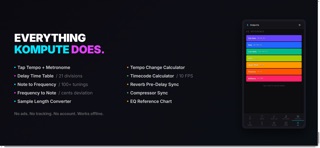
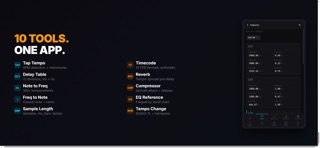
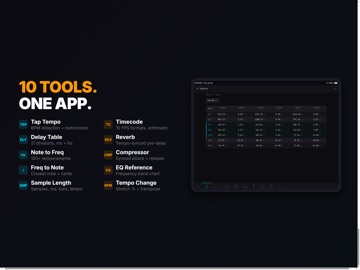
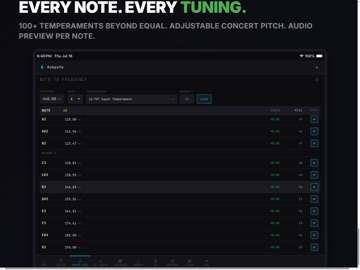
Kompute gives you 10 precision tools for studio math, all in one app. TAP TEMPO + METRONOME Tap to detect BPM with decimal precision. Built-in metronome. Round to nearest whole BPM or keep the exact reading. DELAY TIME TABLE Enter a BPM and see tempo-synced delay times for 21 note divisions. Normal, dotted, and triplet values in both milliseconds and Hz. NOTE TO FREQUENCY Convert any musical note to Hz. Supports 100+ temperaments beyond standard equal temperament. Adjustable concert pitch. Audio preview per note. FREQUENCY TO NOTE Enter a frequency, find the closest musical note with cents deviation. Identify the pitch of any sound. SAMPLE LENGTH CONVERTER Bidirectional conversion between samples, milliseconds, seconds, bars, and beats. Edit any field, all others recalculate. TEMPO CHANGE CALCULATOR Calculate time-stretch ratio and transposition when changing from one tempo to another. Shows stretch percentage, tempo delta, and semitone shift. TIMECODE CALCULATOR Full timecode arithmetic for video and film. Add, subtract, and multiply timecodes. Supports 10 FPS formats including 23.976, 29.97 drop frame, and 59.94. REVERB PRE-DELAY Calculate tempo-synced pre-delay values. Small, medium, large, and hall presets. Keep your reverb rhythmically aligned. COMPRESSOR SYNC Tempo-synced attack and release times. Lock your dynamics processing to the groove. EQ REFERENCE CHART Visual reference of frequency ranges by instrument and tonal character. Sub-bass through brilliance, with descriptions. CROSS-MODULE DATA FLOW Detect a tempo via Tap Tempo and it automatically transfers to Delay Table, Reverb, and Compressor modules. No ads. No tracking. No account required. Works fully offline. From All The Machines.
Latest release
What’s New
- Compressor calculator now shows separate attack and release times - Reverb pre-delay supports BPM mode with tempo-synced values - New Frames converter in the Timecode module (frame number to timecode) - App remembers your preferred startup tab and window size
Audience growth
Ratings growth
Baseline captured. Growth appears after the crawler observes a changed rating count.
Momentum comes from crawler snapshots for the tracked storefront. “Viral growth signal” means unusually fast recent rating gains; it is an indicator, not download data.
Price tracking
Price intelligence
First snapshot captured. The trend line starts after the next crawler price observation.
- First observed Aug 20, 2026 · 2:42 PM $1.99
Screenshots