About this app
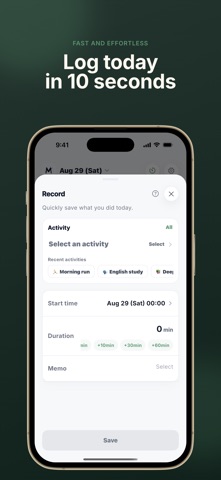
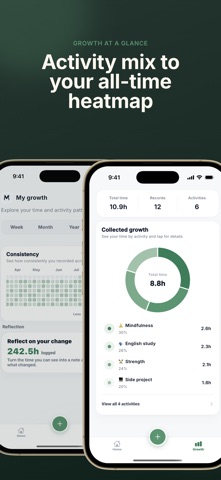
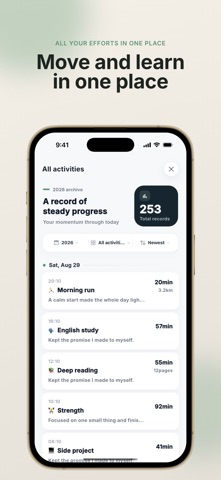
Want to keep track of your progress, but find it hard to record everything consistently? MOA is a simple growth-tracking app that lets you record the time you spend studying, exercising, reading, and investing in yourself in just a few seconds. When needed, you can also add distance, pages, or repetitions. Watch your daily efforts build up across charts and heatmaps, and enjoy a steady sense of progress without the pressure. Keep records short. Make progress visible. You don’t need a complicated planner or a lengthy journal. Simply choose an activity and enter the time you spent—that’s all it takes. You can also add distance, pages, repetitions, or a short note when needed. See all the time you invest in studying, exercise, reading, career development, and more in one place. Key features • Get started immediately—no account or sign-in required • Track time spent on studying, exercise, reading, and more • Optionally add distance, pages, repetitions, and other details • View totals by day, week, month, or year and compare them with previous periods • Follow your progress through charts and heatmaps • Write daily, weekly, monthly, and yearly reflections • Record activities quickly from a Home Screen widget • Build consistent recording and reflection habits with reminders MOA is for you if you want to: • Keep meaningful records without a complicated routine • Build a steady sense of achievement through quick, simple entries • Manage your study time and focus habits • Track changes in your exercise time, distance, and repetitions • Keep your reading time and pages read together • Reflect calmly on how you’ve changed over a day, week, or month All activity records, notes, and reflections are stored on your device. Start immediately without creating an account or signing in, and build your own record of growth one day at a time.
Latest release
What’s New
This update makes it easier to revisit your records and see how your week is taking shape. - See your weekly recording flow at a glance from Home. - Swipe through dates one day at a time to revisit past records. - Open Growth faster directly from Home. - CSV export, yearly and all-time insights, and color changes are available after a rewarded ad. - We improved readability throughout the app.
Audience growth
Ratings growth
Baseline captured. Growth appears after the crawler observes a changed rating count.
Momentum comes from crawler snapshots for the tracked storefront. “Viral growth signal” means unusually fast recent rating gains; it is an indicator, not download data.
Price tracking
Price intelligence
First snapshot captured. The trend line starts after the next crawler price observation.
- First observed Sep 4, 2026 · 6:14 AM Free
Screenshots