About this app
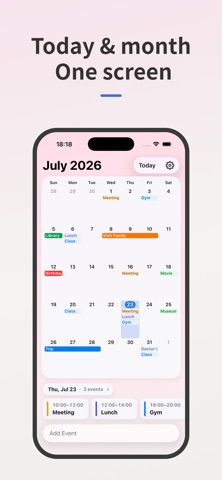
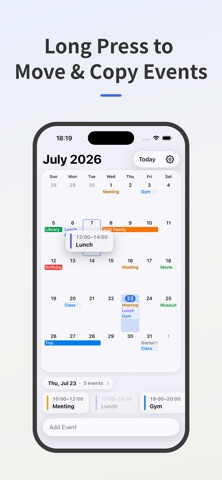
Personalize your calendar with your favorite photos. Set photos of your family, pets, favorite memories, or anything you love as your calendar background. Adjust the blur and transparency to create the perfect balance between style and readability. See your monthly calendar and today’s schedule on a single screen, so you can check your plans at a glance. Features • Custom Photo Backgrounds Personalize your calendar with photos of your family, pets, favorite memories, or anything you love. You can also choose from built-in themes. • Monthly Calendar + Today’s Schedule View your monthly calendar and today’s schedule together on one screen, making it easy to see both your overall plans and today’s schedule at a glance. • Sync with Apple & Google Calendars Sync with Apple Calendar and Google Calendar, or use a dedicated calendar just for this app. • Color-Code Your Events Assign colors to your events for better organization. You can even apply custom colors to events from Apple Calendar and Google Calendar. • Recurring Events Create daily, weekly, monthly, and other recurring events with ease. • Event Reminders Receive notifications before your events, so you never miss what’s important. • Home Screen Widgets View your upcoming events for the next week, two weeks, or month directly from your Home Screen. • Move or Copy Events Press and hold an event to quickly move or copy it to another date. More Features * Choose the first day of the week * Customize weekend and holiday colors * Set default event times
Latest release
What’s New
Add backgroud preset color.
Audience growth
Ratings growth
Baseline captured. Growth appears after the crawler observes a changed rating count.
Momentum comes from crawler snapshots for the tracked storefront. “Viral growth signal” means unusually fast recent rating gains; it is an indicator, not download data.
Price tracking
Price intelligence
First snapshot captured. The trend line starts after the next crawler price observation.
- First observed Aug 21, 2026 · 12:44 PM Free
Screenshots