About this app
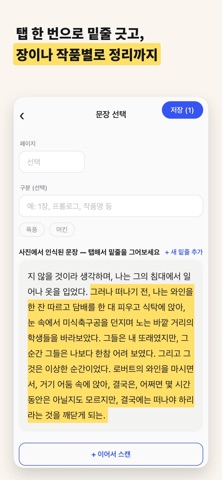
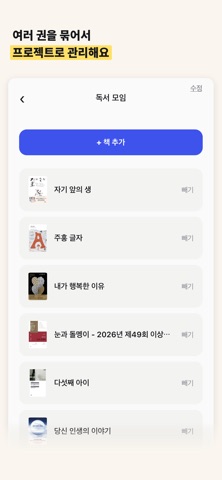
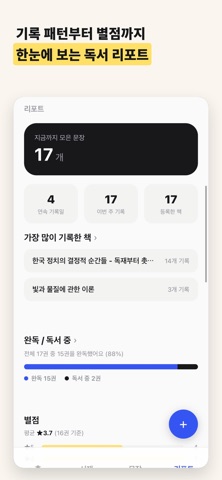
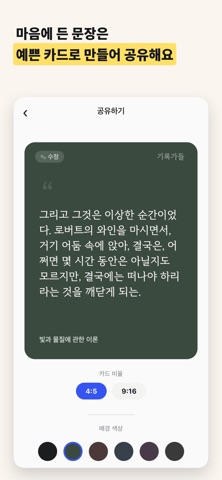
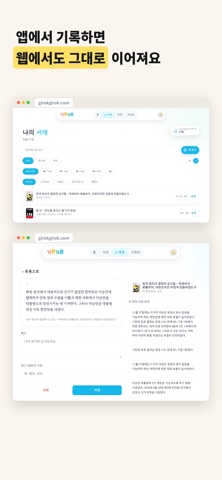
Still letting the lines you underlined in a paper book slip away? 기록가들ㅡGirokgadeulㅡstarts by scanning book pages with your camera and automatically recognizing the text, saving it with tags and notes. But that's just the beginning. From adding books you want to read, to tracking reading status (reading, finished, or excerpt-only), writing reviews, adding your own analysis to quoted passages, and organizing research materials — it covers the entire journey of reading. ▪ Capture sentences with one photo Point your camera at a book page and the text is recognized automatically. Underline any sentence with a tap, and add notes and tags right away. ▪ From want-to-read to finished, your library your way Add books you want to read, and track reading, finished, or excerpt-only status. Add star ratings and reviews, and sort by start date, rating, and more. ▪ Add your own analysis to quotes Transcribe a passage and add your own thoughts right beside it. Group multiple quotes and analyses together in a single note. ▪ Organize by chapter or story Even short story collections can be organized by chapter or individual work using the "section" feature. ▪ Gather research into projects Working on a paper, an article, or a script? Group the books you're referencing into a project to keep everything in one place. ▪ See your reading habits at a glance Streaks, day-of-week patterns, completion rate, rating distribution — see your reading habits as data. ▪ Rediscover old sentences At a set time, we'll resurface a sentence you saved before. See how it feels to read it again now. ▪ Share as a beautiful card Turn a favorite sentence into a beautifully designed card image and share it with friends. ▪ Continue on the web Access your library and sentences anytime at girokgirok.com. The feeling of reading a paper book, unchanged — just smarter about capturing it. Build your own reading archive with 기록가들.
Latest release
What’s New
From Want-to-Read to Finished Add books you want to read, and track reading status — reading, finished, or excerpt-only. Organize Research into Projects Group the books you're referencing for a paper, article, or script into a project. Add Your Own Analysis to Quotes Transcribe a passage and add your own thoughts right beside it. A Refreshed Home Screen See your want-to-read list, current reads, and active projects right on the home screen.
Audience growth
Ratings growth
Baseline captured. Growth appears after the crawler observes a changed rating count.
Momentum comes from crawler snapshots for the tracked storefront. “Viral growth signal” means unusually fast recent rating gains; it is an indicator, not download data.
Price tracking
Price intelligence
First snapshot captured. The trend line starts after the next crawler price observation.
- First observed Aug 19, 2026 · 1:42 PM Free
Screenshots