About this app
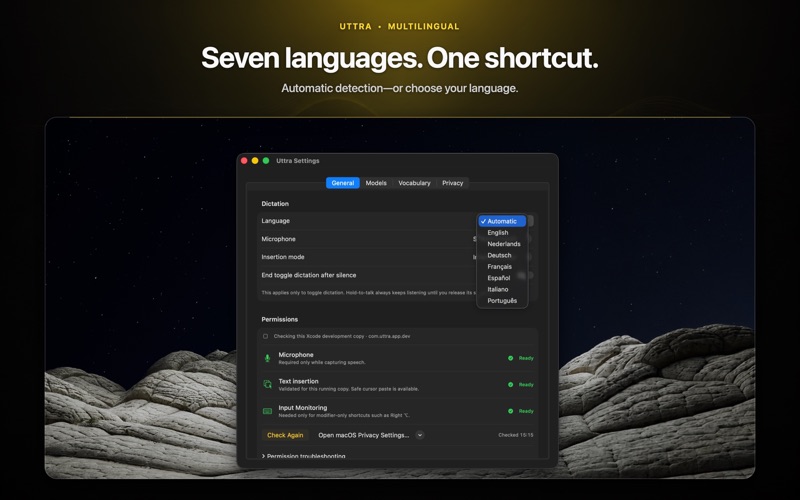
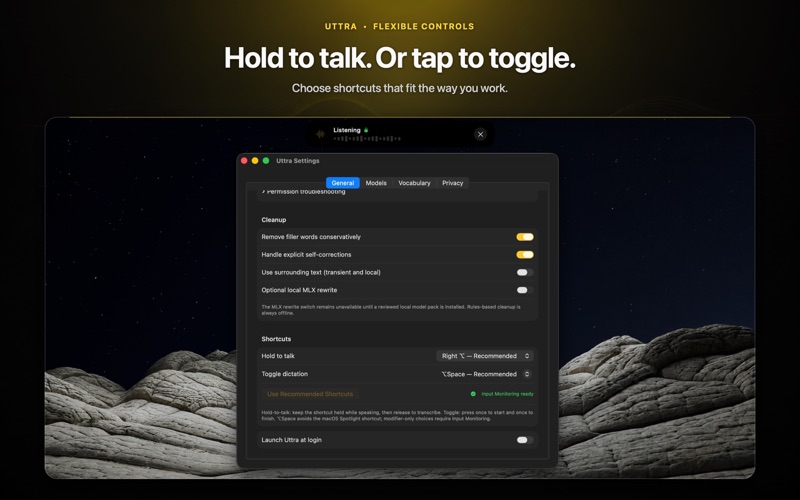
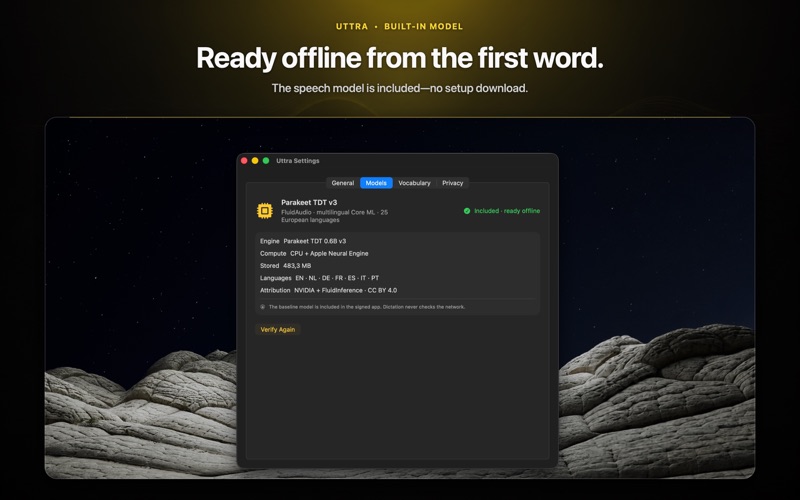
Speak instead of typing. Uttra turns speech into clean text entirely on your Mac and works offline. It is for anyone who wants to type less, and can be especially helpful for people who cannot use a keyboard comfortably, struggle to type accurately or quickly, or find sustained keyboard use difficult or tiring. Write an email, take notes, work on a document, or fill in a browser field. Choose how each completed dictation arrives. TWO WAYS TO USE UTTRA COPY TO CLIPBOARD is selected by default. Uttra transcribes and cleans your speech, then copies the result for you to paste with Command-V. No Text Insertion permission is required. AUTOMATIC VOICE INPUT is optional. When you select it, Uttra sends Paste after each completed dictation so your words appear in the active editable field. macOS displays this limited permission under Accessibility. Uttra uses it only to send Paste. It does not read your screen, inspect other apps, access text-field contents, or monitor keystrokes. If insertion is unavailable, your completed text remains on the clipboard. BUILT FOR NATURAL SPEECH - Hold Option-Space to talk and release to finish. - Press Control-Shift-Space once to start and again to stop. - Start from the menu bar or configure your own shortcuts. - Dictate in English, Dutch, German, French, Spanish, Italian, or Portuguese. - Detect the language automatically or select it manually. - Apply punctuation, capitalisation, and spacing automatically. - Remove common filler words, repetitions, and spoken false starts. - Say “new paragraph” or “new line” to structure your text. TEACH UTTRA YOUR WORDS Correct names, brands, jargon, and product terms that speech recognition finds difficult. Uttra remembers your preferred spelling for future dictations. Your vocabulary stays locally on your Mac and can be inspected, edited, exported, or deleted from Settings. PRIVATE BY DESIGN - Transcription and cleanup happen locally. - The offline Parakeet TDT v3 speech model is included. - No account, upload, cloud inference, analytics, advertising, or telemetry. - Audio remains in memory during the active workflow and is not saved by default. - History and diagnostics are disabled by default. - No outgoing-network entitlement. - No Input Monitoring permission. - Stored data is inspectable and deletable. Turn off Wi-Fi and Uttra continues to work. Cleanup uses deterministic rules, not a generative language model: Uttra does not summarise your speech or invent new content. BEFORE YOU BUY Requires an Apple silicon Mac running macOS 14.4 or later. Text appears after you finish speaking, not word by word. Password fields, secure inputs, and some managed applications may reject automatic Paste, though the completed transcript remains available on the clipboard.
Latest release
What’s New
- Quiet Capture can mute compatible audio outputs while you dictate, then restore them when you finish. - Voice Modes let you create custom dictation setups with their own shortcuts, behavior, and text prefixes. - Templates insert saved links, addresses, and reusable text when you speak their phrase. - Confirmed Corrections help Uttra learn preferred spellings locally after you approve them. - Includes interface improvements, reliability fixes, and better permission handling.
Audience growth
Ratings growth
Baseline captured. Growth appears after the crawler observes a changed rating count.
Momentum comes from crawler snapshots for the tracked storefront. “Viral growth signal” means unusually fast recent rating gains; it is an indicator, not download data.
Price tracking
Price intelligence
First snapshot captured. The trend line starts after the next crawler price observation.
- First observed Aug 21, 2026 · 5:59 AM $6.99
Screenshots