About this app
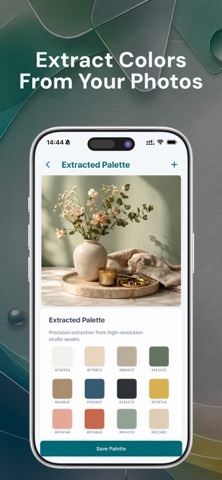
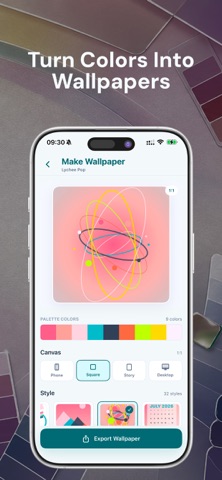
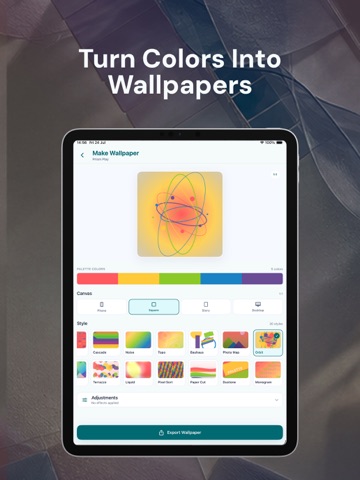
ColorPalette turns inspiration into production-ready color palettes. Extract colors from photos, refine exact values, check accessibility, and export clean code—all from one focused studio. PHOTO TO PALETTE • Import from Photos, Files, or your camera • Extract dominant colors automatically • Tap anywhere on an image to sample an exact shade • Adjust extraction results before saving BUILD WITH PRECISION • Create palettes from scratch or quick-add any HEX value • Fine-tune colors with a visual picker and RGB sliders • Copy HEX, RGB, and HSL values in one tap • Name colors and assign semantic roles such as Primary, Surface, Accent, Text, Warning, or Success DESIGN FOR EVERYONE • Check WCAG contrast ratios • See AA and AAA results at a glance • Simulate protanopia, deuteranopia, and tritanopia • Catch colors that may look too similar before you ship ORGANIZE YOUR COLOR LIBRARY • Search, pin, duplicate, rename, and delete palettes • Group palettes into collections • Save individual colors for reuse • Keep a local, no-account-required library on your device EXPORT FOR DESIGN AND DEVELOPMENT • SwiftUI Color and UIColor • CSS variables and Tailwind config • JSON and design-token formats • Figma-compatible color tokens • Copy clean, ready-to-use output instantly CREATE COLOR-DRIVEN WALLPAPERS Turn any palette into a wallpaper with 30 styles, multiple aspect ratios, blur, grain, and optional HEX labels. Export a high-quality PNG when it is ready. BUILT FOR • UI/UX and web designers • iOS and front-end developers • Illustrators, digital artists, and brand creators • Anyone building an accessible color system All palette creation, accessibility, export, and wallpaper tools are available without a subscription. ColorPalette is supported by ads. Your photos are processed on device. Your palette library is stored locally.
Audience growth
Ratings growth
Baseline captured. Growth appears after the crawler observes a changed rating count.
Momentum comes from crawler snapshots for the tracked storefront. “Viral growth signal” means unusually fast recent rating gains; it is an indicator, not download data.
Price tracking
Price intelligence
First snapshot captured. The trend line starts after the next crawler price observation.
- First observed Aug 11, 2026 · 1:53 AM Free
Screenshots