About this app
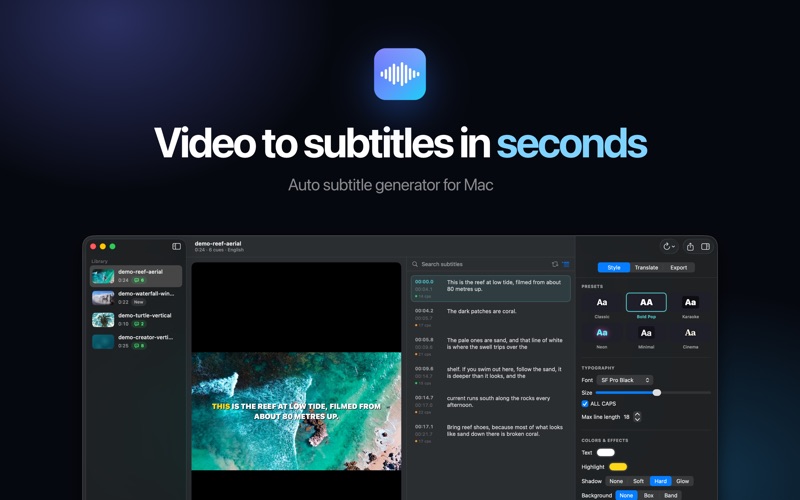
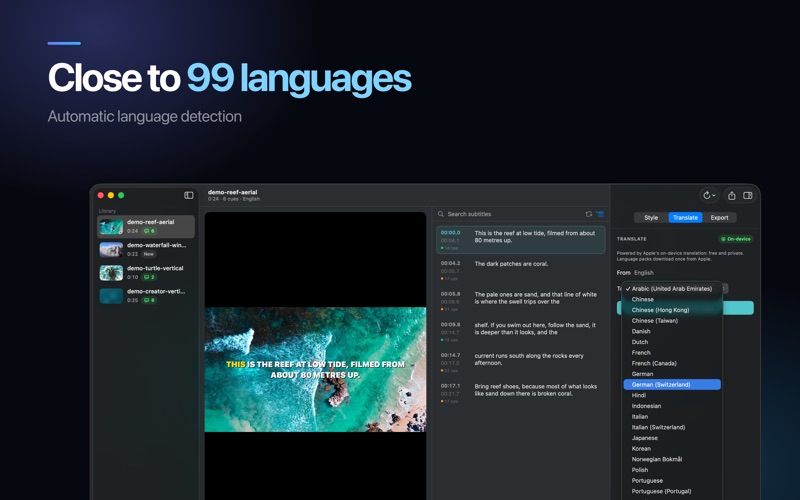
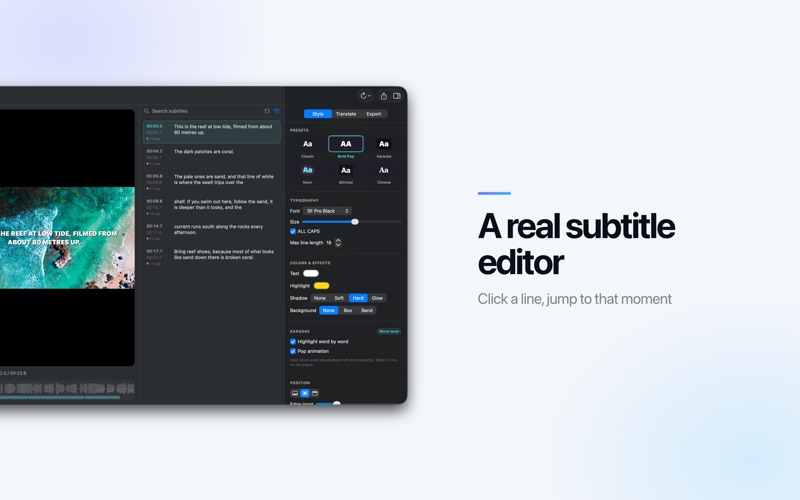
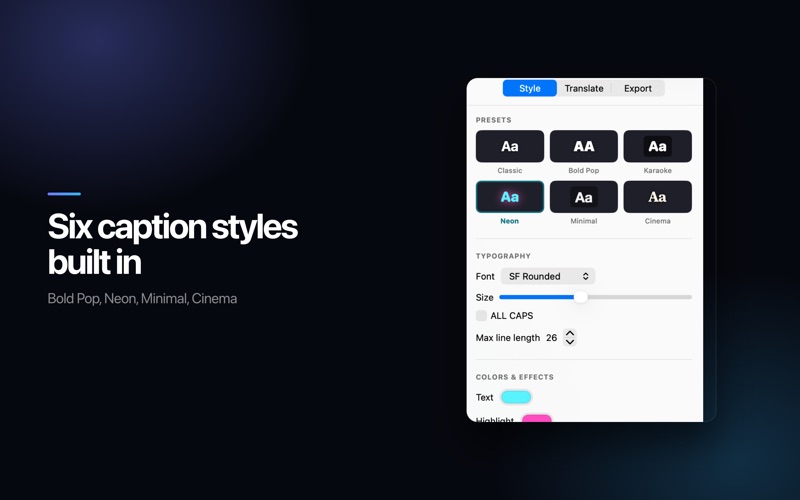
Subtitle any video on your Mac in seconds. AI Subtitle Generator listens to the speech, writes the captions, styles them, and either saves an SRT file or burns the captions straight into the picture. Nothing is uploaded and nothing is charged per minute. READY THE MOMENT YOU OPEN IT A speech model ships inside the app, so your first subtitle needs no download and no setup. On macOS 26 the app can also use the recognition engine built into the system, which starts instantly in ten languages. CLOSE TO 99 LANGUAGES The Universal engines are built on Whisper and cover close to 99 languages, with the spoken language detected for you. Step up to a larger engine when the audio has a strong accent, music behind the voice or a quiet speaker. EVERYTHING STAYS ON YOUR MAC Transcription, translation and rendering all run on the Apple Neural Engine. Your footage never leaves the machine, which matters for client work, interviews and anything under NDA. DROP IN VIDEO OR AUDIO MP4, MOV and M4V go straight in, and so do plain audio files like MP3, M4A and WAV. Drag a file anywhere in the window to start. Every project stays in the library with its transcript and styling, so you can close the app and pick the same edit back up later. A REAL SUBTITLE EDITOR Click any line to jump to that moment in the video. Fix wording inline, snap timings to the playhead, merge or split lines, and search and replace across the whole transcript. Every line shows its reading speed in characters per second, the same check broadcast subtitlers use, so nothing flies past too fast to read. CAPTIONS THAT LOOK LIKE THE ONES THAT PERFORM Six presets to start from: Classic, Bold Pop, Karaoke, Neon, Minimal and Cinema. Change font, size, colour, shadow, background and position, and watch it update live on the video as it plays. Switch on karaoke to light up each word as it is spoken, timed from the transcript itself. BURN IN OR EXPORT • Render the styled captions into an MP4 for TikTok, Reels, Shorts and anywhere else that ignores subtitle files. Or export the file on its own: • SRT for YouTube, Premiere Pro, Final Cut Pro, DaVinci Resolve and VLC • VTT for web players and HTML5 video • ASS with your fonts, colours, position and karaoke tags intact • TXT for a clean transcript with no timecodes TRANSLATE WITHOUT LEAVING THE APP Translate a finished transcript using the translation built into macOS. It runs on device, costs nothing per word, and every line stays editable afterwards. BUILT FOR MACOS Split view library, light and dark themes, drag and drop, a waveform timeline, and a live preview of the exact captions you are about to export. Keyboard shortcuts where you expect them, and a window that behaves the way Mac apps are supposed to. PICK THE ENGINE THAT FITS THE JOB • Instant is built into macOS 26 and starts with no download at all. • Universal Lite comes with the app and covers everyday clips. • Universal Compact raises accuracy for longer talking head video. • Universal Plus and Universal Max are for the difficult material: heavy accents, several speakers, music under the dialogue. Swap between them at any time and run the same file again. WHO IT IS FOR • Creators cutting short form video. • Podcasters publishing episode transcripts. • Editors handing an SRT to a client. • Teachers captioning lessons. • Anyone who wants their video to make sense with the sound off. FREE AND PRO Free gives you transcription, the full editor, every style and three subtitle file exports. Burned in video carries a small watermark. Pro removes the watermark, makes exports unlimited, and adds the larger engines for the hardest audio. Subscription Terms: Payment charged to iTunes Account. Auto-renews unless disabled 24 hours before period ends. Manage in Account Settings. https://www.apple.com/legal/internet-services/itunes/dev/stdeula/ Drop in a file, generate subtitles, and export your finished video in minutes.
Audience growth
Ratings growth
Baseline captured. Growth appears after the crawler observes a changed rating count.
Momentum comes from crawler snapshots for the tracked storefront. “Viral growth signal” means unusually fast recent rating gains; it is an indicator, not download data.
Price tracking
Price intelligence
First snapshot captured. The trend line starts after the next crawler price observation.
- First observed Aug 8, 2026 · 5:15 PM Free
Screenshots