About this app
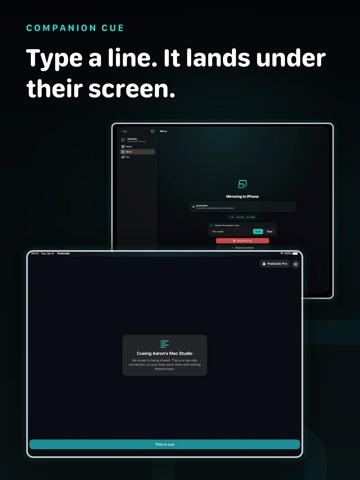
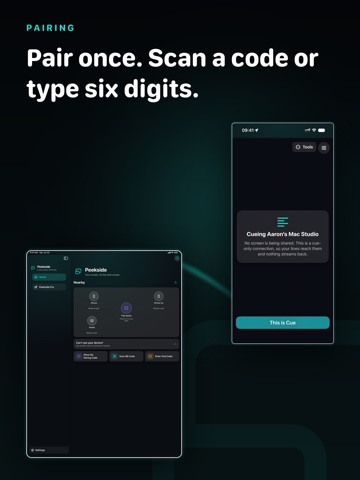
Peekside puts one screen on another screen, over your own Wi-Fi. An iPhone, iPad, or Mac can send. An iPhone, iPad, or Mac can watch. Every pairing works, so a phone can mirror to another phone just as easily as to a Mac. Nothing is uploaded. There is no server in the middle, no account to create, and no sign-in. The picture goes straight from one device to the other and stops there. Pair once, then tap a device and pick what you want: send your screen, watch theirs, or send captions. Nothing starts until the other person allows it on their device. FREE CORE * No watermark * No session time limit imposed by Peekside * One receiver at a time * App audio with the live picture * Adaptive quality for changing Wi-Fi conditions * A connection HUD with latency and bitrate * Automatic reconnection after brief network changes PEEKSIDE PRO, ONE-TIME PURCHASE * Live Text, copy text straight out of the moving picture * Instant Replay, rewind the last 60 seconds without recording * Follow-zoom, keep the busy part of the screen framed * Annotation, draw on the feed with pen, highlighter, and arrows * Recording, save the feed and your annotations as a movie * Higher resolution when the link can carry it * Guidance, point and draw on the other screen to walk someone through something * Companion Cue, type a line that appears along the bottom of their screen * Presentation mode, a clean full-screen feed with the controls hidden HONEST LIMITS Peekside is view-only. The watching device cannot tap, type, or drive the device it is watching. A phone sends its screen or its captions, one or the other, not both in the same session. A Mac can send both at once. This is because screen capture on iPhone and iPad runs in a separate system process that cannot be handed a caption. Protected video appears black. That is the operating system blocking capture, and Peekside does not work around it. Sharing stops when the sending phone locks, and on iPhone and iPad it always starts through Apple's own broadcast picker. Peekside needs two devices on the same Wi-Fi network. It does not work over the internet, by design. Some features need Peekside Pro.
Audience growth
Ratings growth
Baseline captured. Growth appears after the crawler observes a changed rating count.
Momentum comes from crawler snapshots for the tracked storefront. “Viral growth signal” means unusually fast recent rating gains; it is an indicator, not download data.
Price tracking
Price intelligence
First snapshot captured. The trend line starts after the next crawler price observation.
- First observed Aug 8, 2026 · 5:05 PM Free
Screenshots