About this app
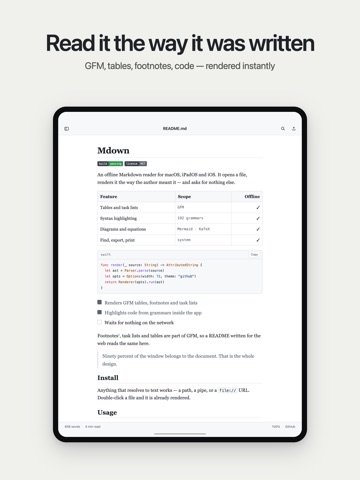
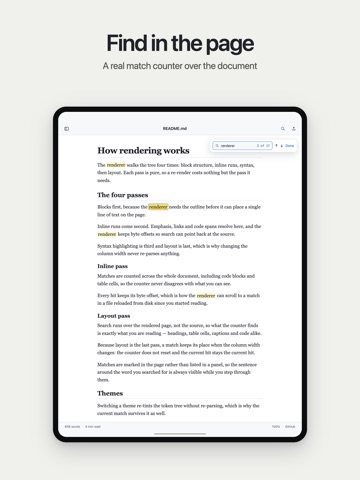
Mdown opens a Markdown file and renders it. That is the whole product — no account, no subscription, no network. WORKS OFFLINE, AND CANNOT DO OTHERWISE Mdown ships without the network permission. This is not a promise about data collection: the app has no way to reach the internet at all. Every syntax grammar, every font and both diagram engines live inside the binary, so a README opens exactly as fast on a plane as it does at your desk. WHAT IT RENDERS • GitHub Flavored Markdown — tables, footnotes, task lists, blockquotes, HTML blocks • Syntax highlighting for 192 languages, all bundled, none downloaded • Mermaid diagrams: flowcharts, sequence, state, class • LaTeX through KaTeX, both display and inline equations • YAML and TOML front matter, folded into a card instead of leaking into the text • Documents of 10,000 lines open in well under a second EVERYTHING IS FREE Nine themes — GitHub, GitHub Dark, Solarized Light, Solarized Dark, Nord, Gruvbox Dark, Dracula, Sepia and High Contrast. Serif, sans or rounded body text, four monospaced faces for code, and a separate theme for syntax highlighting if you want the code to look different from the page. Column width, line height, letter spacing, paragraph spacing and page margins are yours to set. A narrow measure suits reference material you scan; a wider one suits prose you read from the top. Nothing here is behind a purchase, because there are no purchases. BUILT FOR READING, NOT EDITING • Find in the rendered document with a real match counter — not a search of the raw source • Contents panel with the actual heading hierarchy, collapsible, marking where you are • Press Space to flip between the rendered page and the source • Your reading position is remembered per file, and survives a change of font or width • Status bar with word count, reading time, zoom and theme BESIDE YOUR EDITOR Save the file in VS Code, Cursor, Zed or anything else, and Mdown re-reads it immediately, keeping your place, your selection and your search. Press ⌘E to hand the file back to your editor. Mdown never writes to your files — it is a reader, and it stays one. On macOS, press Space on a Markdown file in the Finder and Quick Look draws it with the same renderer, without launching the app at all. EXPORT AND PRINT PDF with your current theme and working links, single-file HTML with styles inlined, or the system print dialog. What you print looks like what you read. ONE APP, THREE PLATFORMS Universal for Mac, iPad and iPhone. On iPad the contents panel sits beside the document; on iPhone it slides over. The interface is translated into 39 languages. WHAT MDOWN DOES NOT DO It does not edit files. It does not sync, or offer an account, or open a browser. It has no analytics, no ads, no in-app purchases and no telemetry of any kind. It does not show a how-to document on launch. Open source under the MIT licence.
Latest release
What’s New
Open a Markdown file straight from the Share sheet on iPhone and iPad. Text now follows your system font size, and a pinch resizes it. Files that aren't Markdown open as plain text with a clear notice, plus interface polish and minor bug fixes.
Audience growth
Ratings growth
Baseline captured. Growth appears after the crawler observes a changed rating count.
Momentum comes from crawler snapshots for the tracked storefront. “Viral growth signal” means unusually fast recent rating gains; it is an indicator, not download data.
Price tracking
Price intelligence
First snapshot captured. The trend line starts after the next crawler price observation.
- First observed Aug 20, 2026 · 10:56 PM Free
Screenshots