About this app
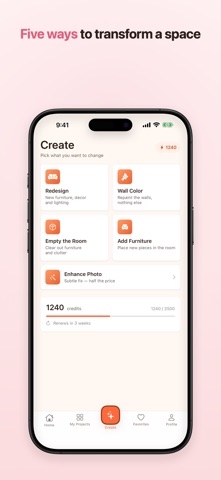
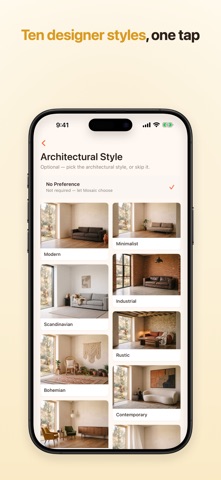
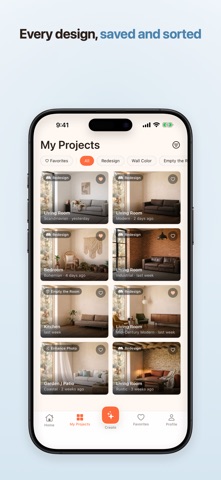
Photograph a room. Pick a style. Watch it change. Mosaic redesigns the space you already have — same room, same walls, same window — so what you see is your home, not a catalogue. FIVE WAYS TO CHANGE A ROOM • Redesign — new furniture, decor and lighting • Wall Color — repaint the walls, nothing else • Empty the Room — clear out the furniture and clutter • Add Furniture — place new pieces in the room you have • Enhance Photo — a subtle fix, at half the price TEN STYLES Modern, Minimalist, Scandinavian, Industrial, Bohemian, Rustic, Mid-Century Modern, Contemporary, Traditional and Coastal. EVERY ROOM IN THE HOUSE Living room, bedroom, kitchen, dining room, home office, kids' room, bathroom, balcony, garden and patio. DRAG TO COMPARE Every result opens on a before/after slider. Pull it across the photo and the room changes under your finger. KEEP WHAT YOU LOVE Save designs to your library, mark favourites, filter by mode, then download or share the ones you want. HOW IT WORKS 1. Take a photo, or choose one from your library 2. Pick the room and the style 3. Your redesign arrives in seconds Mosaic runs on credits, and a new account starts with a free balance so you can try it before deciding. Premium adds a credit allowance that renews, 2K and 4K downloads, priority processing and an ad-free app. Terms of Use: https://home-design-backend.web.app/en/terms Privacy Policy: https://home-design-backend.web.app/en/privacy
Audience growth
Ratings growth
Baseline captured. Growth appears after the crawler observes a changed rating count.
Momentum comes from crawler snapshots for the tracked storefront. “Viral growth signal” means unusually fast recent rating gains; it is an indicator, not download data.
Price tracking
Price intelligence
First snapshot captured. The trend line starts after the next crawler price observation.
- First observed Sep 8, 2026 · 5:40 PM Free
Screenshots