About this app
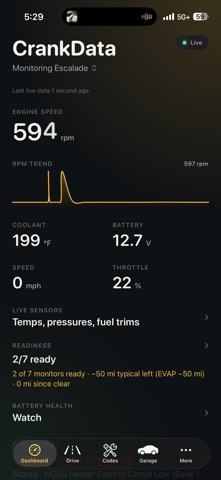
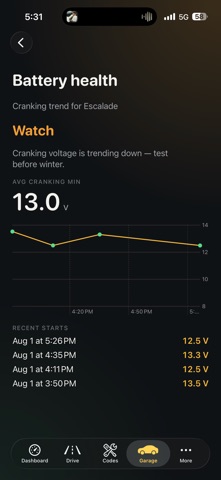
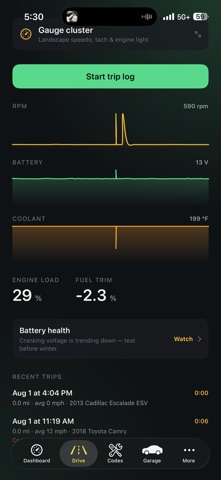
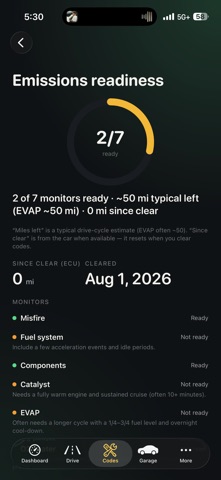
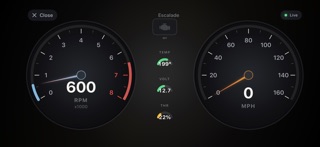
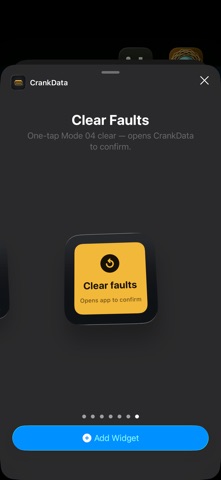
CrankData turns a Bluetooth OBD-II adapter into clear answers about your car — live vitals, plain-English fault codes, and tools that help you fix issues and pass emissions. CONNECT & GO LIVE Pair a compatible ELM327-style Bluetooth scanner (including DA100-class adapters). CrankData streams RPM, speed, coolant, battery voltage, load, fuel trims, and more while you drive. CODES IN PLAIN ENGLISH Read stored, pending, and permanent codes with titles you can actually understand — not just a P-code. See common causes, capture freeze-frame conditions, and Quick Reset (Mode 04) when you’re ready to clear and retest. READINESS & EMISSIONS See which monitors are ready, how far you’ve driven since a clear, and coaching tips for drive-cycle monitors like EVAP — so you’re not guessing before an inspection. DRIVE & GAUGES Use the Drive tab for trip logging, or flip to a full landscape gauge cluster with tach, speedo, and check-engine status. Customize gauge colors in Settings. GARAGE FOR YOUR CARS Save vehicles, pick a preferred car, and keep history tied to the right truck or daily driver. CRANKDATA PRO (OPTIONAL) Unlock Mode 06 early warnings, emissions coaching, battery health trends, smart alerts, Home Screen & Lock Screen widgets, CarPlay, freeze-frame history, repair cost ranges, service reminders, Siri shortcuts, and more. FREE INCLUDES • Live engine vitals • Code reading & plain-English decode • Quick Reset • One garage vehicle • Readiness glance WHAT YOU NEED • iPhone with Bluetooth • Compatible wireless OBD-II adapter • Ignition ON (engine can be running or off, depending on the car) CrankData is a diagnostic companion — it doesn’t replace a professional shop scan tool for every manufacturer-specific test. Always drive safely; don’t interact with the phone while the vehicle is moving. Questions or adapter tips? We’re building CrankData for real cars and real owners. License Agreement: https://www.apple.com/legal/internet-services/itunes/dev/stdeula/
Audience growth
Ratings growth
Baseline captured. Growth appears after the crawler observes a changed rating count.
Momentum comes from crawler snapshots for the tracked storefront. “Viral growth signal” means unusually fast recent rating gains; it is an indicator, not download data.
Price tracking
Price intelligence
First snapshot captured. The trend line starts after the next crawler price observation.
- First observed Aug 17, 2026 · 9:10 PM Free
Screenshots